 Figma
 API
 Web to code extension
 Adobe XD
 Discord
 Twitter
 GitHub


 Blog

Prototyping Tools: How to Choose the Right One for Your UX Test9 min read
Reading Time: 7 minutesPrototyping tools help you turn a product idea into something people can try before engineering commits to the finished implementation. The right tool depends less on how polished a screen looks and more on what you need to learn: whether users understand a flow, whether an interaction behaves correctly, or whether a responsive interface survives contact with real content.
A clickable mockup is enough to test navigation. A form with validation, saved data, and a mobile layout needs a different kind of prototype. Below is a practical way to choose among design-canvas, advanced-interaction, and code-connected tools, followed by a small test you can run in any of them.
Anima Playground is one option when a prototype should become an editable web app rather than remain a collection of linked screens. You can start from a prompt, Figma design, or URL, then refine the live preview and code. It is not a substitute for testing the concept with users.
Try it: describe one task and build a working prototype in Anima Playground, then give its shareable version to someone who has not seen your design.
What counts as a prototype?
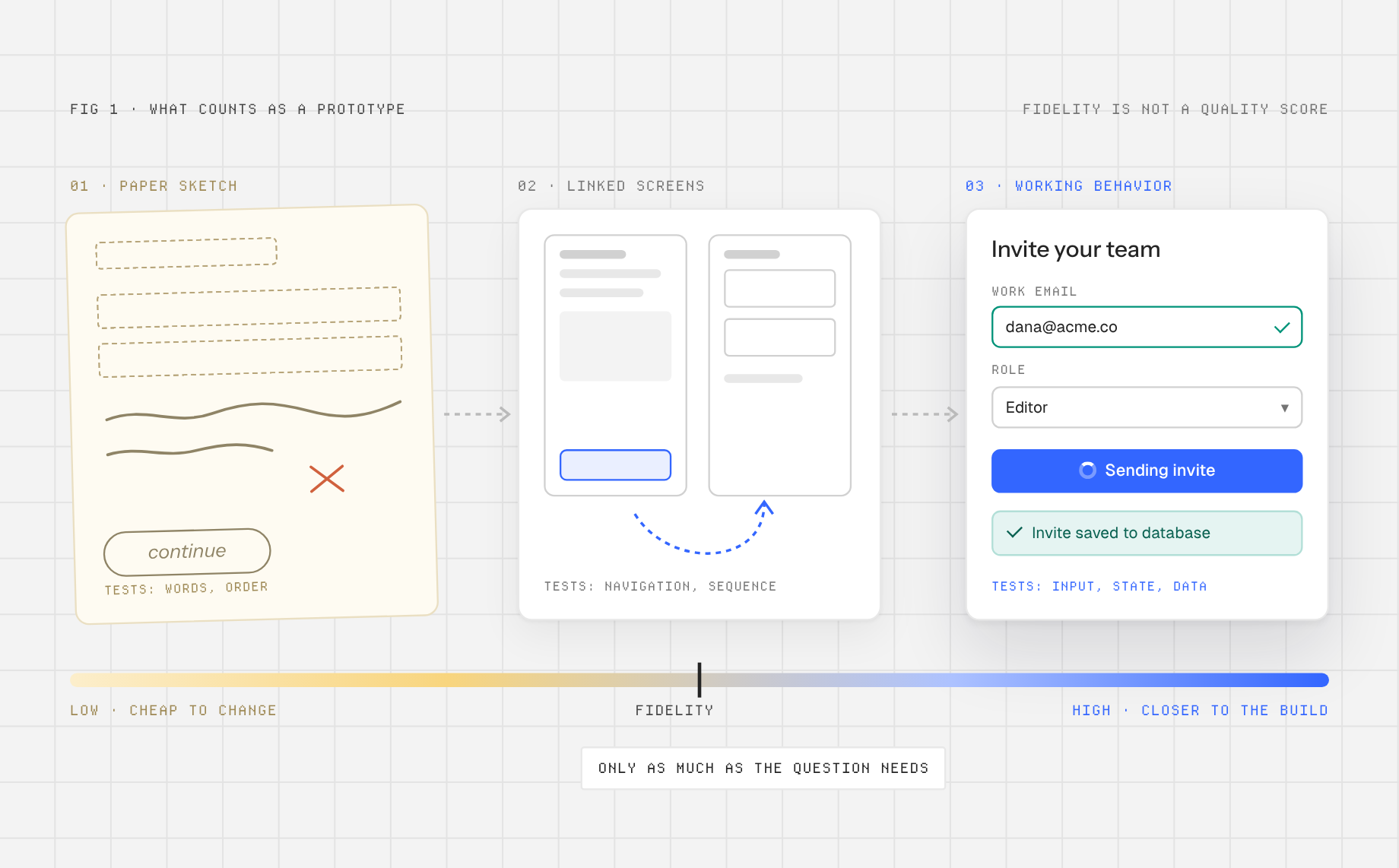
A prototype is a testable representation of a proposed experience. It can be paper sketches, linked frames, a simulation with variables, or running code. Fidelity is not a quality score. It is the amount of detail needed to answer the current question. A rough checkout flow may expose a confusing decision more quickly than a polished but rigid animation.
Separate three questions before choosing software: What behavior must the participant experience? What evidence will you collect? What happens to the artifact afterward? If the task is to locate a shipping option, connected frames may suffice. If it is to change a plan and see a recalculated price, you need state and logic. If engineers will continue from the prototype, code access and component conventions matter.
Prototyping tools compared by the job they do
| Tool | Best fit | What you can test | Important trade-off |
|---|---|---|---|
| Anima Playground | Web-app concepts that need live behavior and code handoff | Responsive screens, actual UI interactions, data-backed flows when configured | Review generated behavior and code; a live link is not proof of product readiness |
| Figma | Teams already designing and reviewing in Figma | Screen flows and, with variables and conditions, richer UI states | A simulated interaction is not automatically an implemented application |
| Penpot | Open-source design and linked-board flows | Navigation, overlays, transitions and review paths | Validate whether its available interaction model covers complex logic |
| Axure RP | Complex rules, forms and business processes | Conditional branches, dynamic content and data-driven behavior | More logic to author and maintain than a simple click-through |
| Proto.io | Rich device and gesture simulations | Inputs, variables, animated interactions and mobile preview | Check how the prototype will be handed to the implementation team |
| Framer | Responsive, publishable website experiences | Web layout, breakpoints, interactions and live-site presentation | Match its site-oriented workflow to your app’s actual needs |
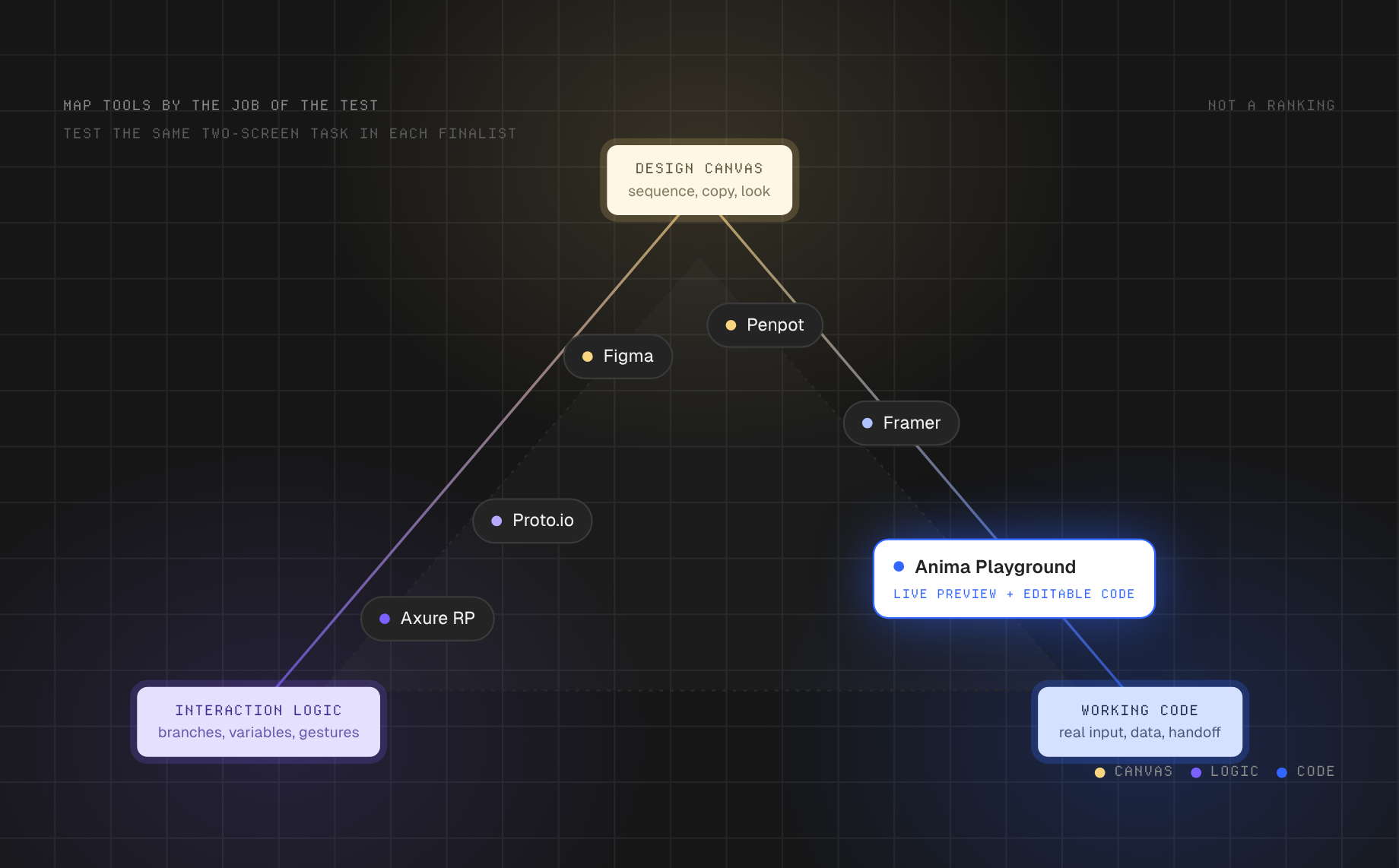
This is a workflow comparison, not a ranking. Test the same two-screen task in your finalists before selecting a platform. The number of features matters less than the time it takes your team to build, revise, observe, and hand off the particular flow.
Anima Playground: a working web prototype with a continuation path
Anima’s getting-started documentation describes prompt, Figma, and URL entry points, editable code, live preview, database and authentication options, and publishing. A team testing a customer-support portal could begin with a prompt for a ticket list, detail view, and reply form. First inspect navigation and responsive layout; only connect data if the research question actually requires persistence. When a Figma design is the source, importing through the plugin can preserve more component and variable context than a simple frame link.
Its distinct value is continuity: the same artifact can be iterated, shared, and handed to engineering as code. But a generated form still needs validation, accessibility review, realistic content, and testing with participants. If the goal is only to compare navigation labels tomorrow morning, building data-backed screens may be unnecessary.
Figma: explore a familiar design system and screen flow
Figma is a natural fit when the team already maintains components and screens there. Link frames for straightforward navigation, and use variables in prototypes when the test needs a state change, such as choosing monthly versus annual billing. Its documentation explains how variables, actions, and conditionals can change text, visibility, or component variants without duplicating every screen. Figma lists variables in prototypes for Professional, Education, Organization, Government, and Enterprise plans with edit access, so check your workspace before planning a state-heavy test.
Be explicit with observers about what is simulated. A screen that appears to accept a credit card does not demonstrate payment handling. If the finding depends on real input behavior or a responsive implementation, take the selected flow into a runnable environment. For that transition, see how to turn Figma designs into editable React. If you are still deciding how much structure to test, compare wireframing tools and software before building high-fidelity states.
Penpot and Axure RP: different answers to design control
Penpot’s prototyping guide shows how to connect boards, define flows, and share a view-mode link. Choose it if your team values an open-source design workspace and the behavior you need fits its interactions. Test the specific scenario rather than assuming every advanced rule is available.
Axure RP’s conditional-logic documentation is more directly suited to rule-heavy prototypes. Imagine an insurance quote form: the next step changes when the applicant selects a business vehicle, and an error appears when a required field is empty. Conditional cases can model that logic for review before development. Document your assumptions so a realistic simulation does not get mistaken for an approved business rule.
Proto.io and Framer: gesture realism versus web publishing
Proto.io’s feature guide covers interactive UI items, variables, gesture interactions, mobile previews, and share links. This makes it worth considering when the question is how a mobile flow feels, not just where its buttons lead. Framer’s UI/UX overview instead emphasizes responsive website layouts, interactions, and publishing. It is useful when a landing page or content-led site needs to be tried as an actual web experience.
These tools can produce convincing demos, but convincing is not the same as informative. Decide in advance whether you need to observe swipe discoverability, breakpoint behavior, or comprehension of a headline, and select the artifact that isolates that question.
A five-step prototype test: the subscription change flow
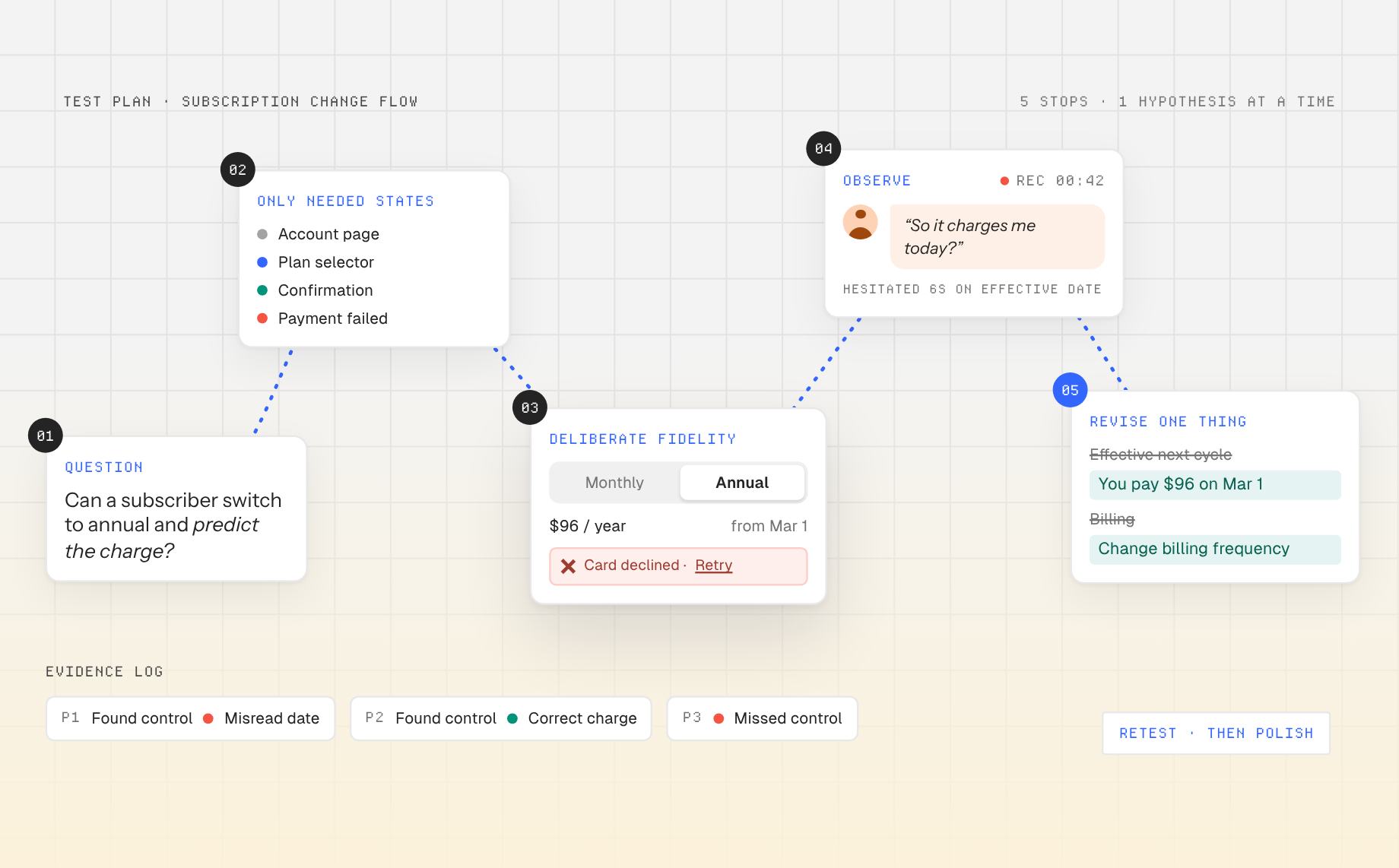
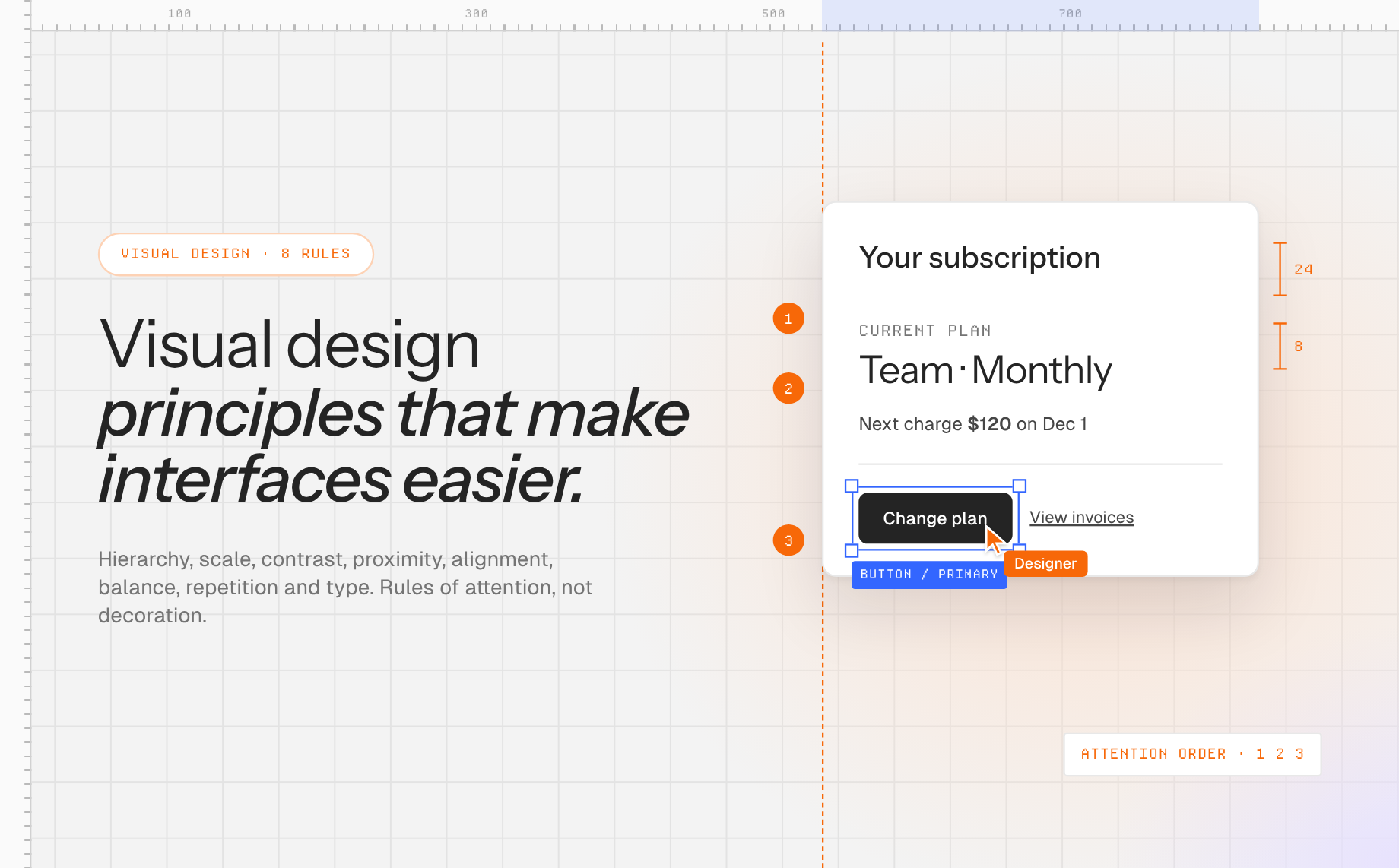
- Write a falsifiable question. “Can a current subscriber change to annual billing and predict when the new price takes effect?” This is more useful than “Do people like our settings page?”
- Map only the necessary states. Include the account page, plan selector, confirmation screen, and a failure state. Add a visible current plan and effective date. Do not spend the first iteration on unrelated profile settings.
- Choose fidelity deliberately. A Figma or Penpot flow can test whether people discover the plan control. If you need price recalculation and persisted choice, use Axure logic or a working web prototype. The choice follows the question, not the team’s favorite tool.
- Run the same neutral task with participants. Ask: “Your team wants annual billing. Show me what you would do and tell me what you expect to be charged.” Avoid telling them to find the Plans tab. Note where they hesitate and what they believe the confirmation means.
- Revise one hypothesis at a time. If people cannot find the control, change label and placement first. If they find it but misunderstand the charge, rewrite the price and effective-date copy. Retest rather than polishing both at once.
For a code-connected version, prompt Anima with the screens and explicit states, inspect what it generated, then add missing validation through iterative edits. A Figma design system can also be imported when your team needs the prototype to use existing components and tokens. Keep a record of which interactions are real and which are placeholders so testing feedback stays interpretable.
How to choose without buying the wrong kind of fidelity
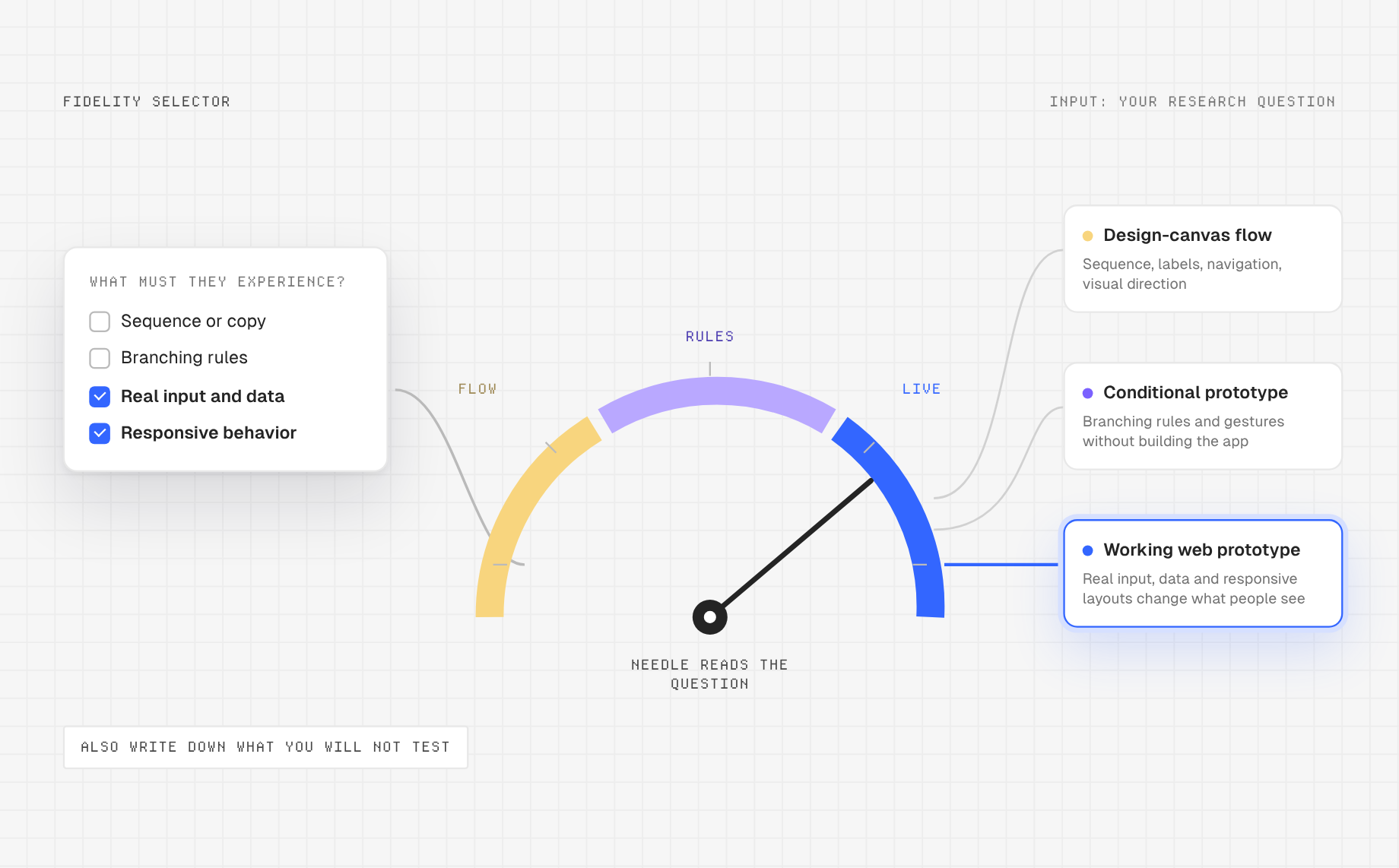
- Choose a design-canvas flow if the decision is about sequence, copy, navigation, or visual direction and you need fast edits with your design team.
- Choose conditional prototyping if branching rules or device gestures are the question but building an app would distract from the test.
- Choose a working web prototype if responsive behavior, actual input, data, or reusable code materially changes what participants experience.
- Check collaboration and handoff using one realistic change request: Can another person find the source, edit the flow, inspect states, and continue the work without rebuilding it?
Also ask what you will not test. A beautiful clickable flow cannot establish backend security. A working prototype cannot tell you whether the product solves a real need until the right people try it. For a practical transition from prototype to reusable product UI, see how a Figma design system guides generated screens. Treat tool selection as a decision about evidence, not a beauty contest.
Frequently asked questions
What is the difference between a wireframe and a prototype?
A wireframe primarily describes layout and content structure. A prototype lets someone experience a proposed flow or behavior. A low-fidelity wireframe can be made into a prototype by connecting screens; a polished static mockup is not automatically a useful test.
Do prototyping tools generate production code?
Some tools create editable application code or publish a live website; others simulate behavior inside a design environment. Even with code output, review accessibility, data handling, performance, and engineering conventions before treating a prototype as a shipped product.
Which prototyping tool should a beginner learn first?
Start with the tool that matches your next test and your team’s existing files. For a simple navigation test, learn frames, links, and sharing before advanced logic. For a web concept that needs real interactions, try a working prototype and verify every state you plan to show users.
Next step: Turn one research question into a two-screen test. If it needs to behave like a web app, build the first version in Anima Playground and use the result to collect evidence, not just approval.