 Figma
 API
 Web to code extension
 Adobe XD
 Discord
 Twitter
 GitHub



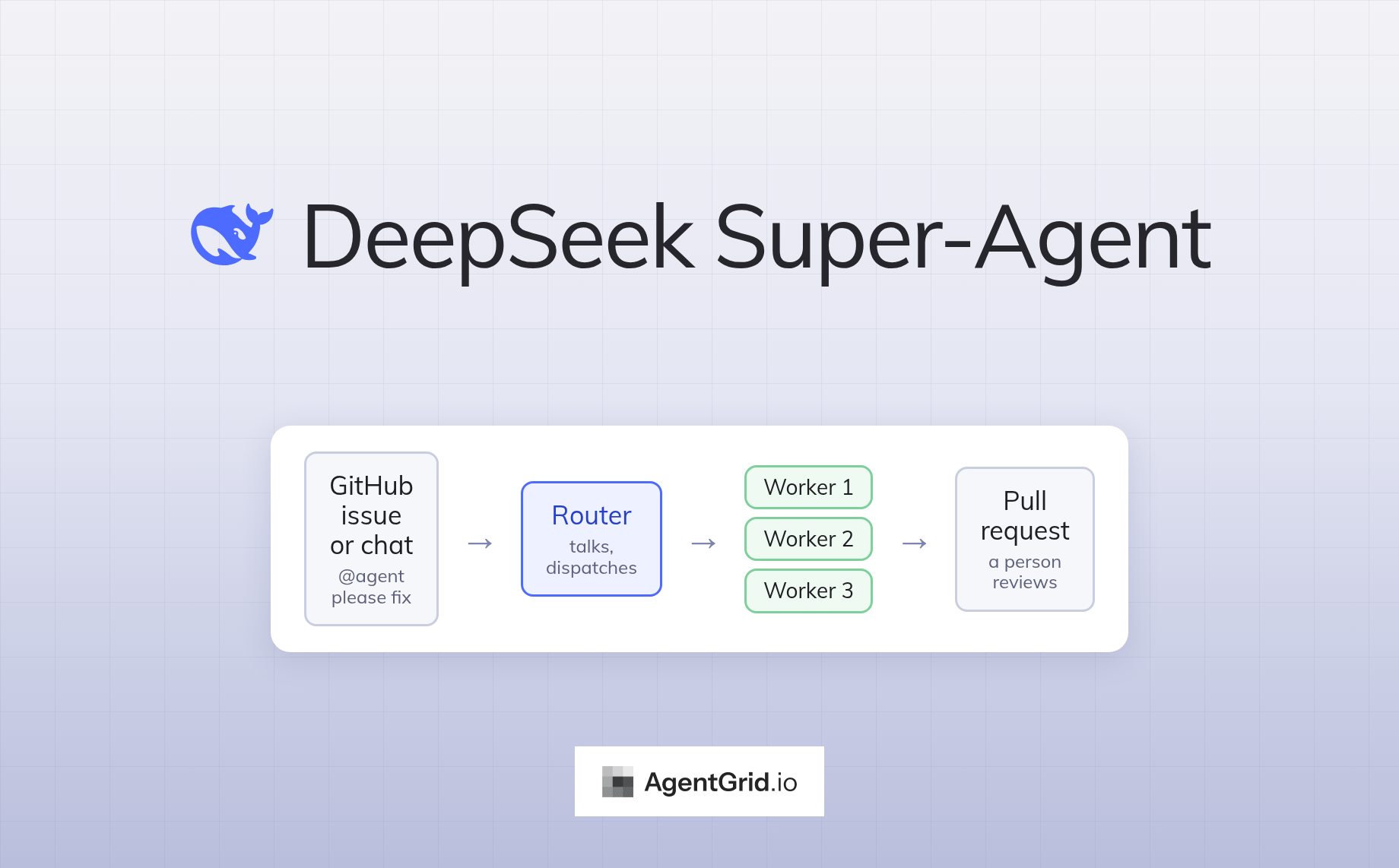
DeepSeek Super-Agent: What It Is, How It Works, and What Is Still Missing20 min read
Reading Time: 12 minutesOpen three coding agents at once and you can feel the problem. One is waiting for a decision, one finished twenty minutes ago, and you have already forgotten which one has the auth fix. DeepSeek’s Harness team put a number on it: in its experience, a person can follow only three to five active agent sessions at a time. Past that point the model is no longer the bottleneck. You are.
On October 31, 2026, the team published a design article for what it calls a Super-agent and open-sourced a prototype named dsh-superagent. It is a proactive coding agent for one GitHub repository. One long-lived router session talks to people and hands out work, and every accepted request gets its own worker session that ends in a pull request or a question. The repository passed 12,000 stars in about two days. Its README is blunt that this is research code and not an official DeepSeek product.
This guide is for engineers and team leads who want to know what the prototype does, how the router and worker design works, what the benchmark numbers do and do not prove, and what to check before pointing it at a real repository.
One note before the details. A worker’s answer to “fix this bug” is a pull request, and GitHub is a fine home for that. The rest of what agents produce around the code is harder to place: the root-cause write-up, the test summary, the comparison table a reviewer asked for. AgentGrid.io is a shared workspace where people and AI agents create, edit and share documents, apps and files, with one live version, attribution and history. We come back to where it fits near the end.
What is the DeepSeek Super-Agent?
Two things appeared together. The first is a long design article, “Exploring Super-agent Design: Towards a More Autonomous Agent System”. The Harness team wrote it in Chinese and posted a machine-translated English version on X on November 1. It has been seen more than 2.2 million times. The second is the code: deepseek-ai/dsh-superagent-prototype, released under the MIT license.
Exploring Super-agent Design: Towards a More Autonomous Agent System
– DeepSeek Harness (@DeepSeekHarness) November 1, 2026
It is not a new model. dsh-superagent is a bundle for DeepSeek Harness, DeepSeek’s open-source agent harness, which the company describes as in public preview worldwide. The bundle watches one GitHub repository and, if you switch it on, Feishu chats. When someone on an allowed list asks the agent for work, it opens a work item, runs it in its own session and directory, and answers in the original conversation. A web panel shows only what needs a person.
The name is easier than it sounds. Cui Tianyi, from DeepSeek’s product department and one of the article’s final reviewers, explained in a Zhihu post that “super” is meant as in superscript versus subscript. A Super-agent adds a layer above the agent that does the work, the opposite of a sub-agent, which adds one below it. It is not a claim of superior intelligence.
The README opens with a warning worth reading in full: “Research prototype for reference only, not an official DeepSeek product.” It adds that much of the engineering was done by coding agents, that the code may contain bugs, and that some designs in the article are directions for future work and are not implemented.
| At a glance | dsh-superagent-prototype |
|---|---|
| What it is | A proactive coding agent for one GitHub repository, packaged as a DeepSeek Harness bundle |
| Status | Research prototype, “not production-ready software” per the README |
| License | MIT |
| Language | TypeScript |
| Listens to | GitHub issues, pull requests, comments and CI. Feishu chats are optional |
| Created | October 31, 2026. More than 12,000 stars and 1,200 forks by November 2 |
| How to set it up | Ask your coding agent to read SETUP.md and set it up with you |
Another DeepSeek drop: dsh-superagent
An agent framework that works through a repo’s GitHub issues and PRs with many agents in parallel, designed to take as little human attention as possible while delivering as much value as possible.
– Leandro von Werra (@lvwerra) October 31, 2026
Why does DeepSeek say the bottleneck is human attention?
The article starts from a simple observation. Over the past year, coding agents got good enough that a single task is limited by the model. But once you run several tasks at once, the limit moves to you. Each session is isolated, so you switch between them by hand and keep track of what each one knows. Bolting a CLI, MCP or a chat connector onto one local session lets it hear about new events, but it still blocks on long commands, mixes contexts from different tasks, and stops when your laptop sleeps.
DeepSeek’s answer is to stop treating the session as the unit you manage. It lists four traits a Super-agent should have:
- Continuous. You talk to it where you already work, such as chat or GitHub comments, and it behaves like one agent. If you ask for plan A in chat and switch to plan B in a pull request comment, it follows.
- Productive. It runs several complex tasks in parallel and takes the next instruction before the last one finishes.
- Proactive. It watches events, acts on what is worth handling and stays quiet otherwise.
- Persistent. It stays online and recovers from failures without you restarting it.
The authors argue that no single ReAct loop can deliver all four, so the qualities have to come from the architecture around the model. That is the real subject of the article, and the visual explainer below, shared by Hesam, is a quick way to see the whole design on one page.
here’s a visual explainer of DeepSeek’s article about Super-Agent: https://t.co/bByKYDoq6h pic.twitter.com/BhzbBh3NrP
– ℏεsam (@Hesamation) November 1, 2026
How does the router and worker design work?
Think of a good engineering manager who never writes code during standup. The router is one long-lived session that receives every message from every channel. It does not run tasks. It decides what a message is asking for, hands new work to a worker, and writes every reply to the people involved. The article says it can run without a shell tool at all, and that a lighter, faster model is usually enough for it.
A worker is a separate session with an isolated context and a full set of tools, dedicated to one task. Workers never talk to people directly. They report status to the router, which keeps replies in one voice. In the prototype, each ticket gets its own session and its own directory, typically a git worktree, and the worker count is capped. The default is three at a time, adjustable from 1 to 16, with one extra slot kept free so a person’s message can always get through.
Two details make this more than a task queue.
Follow-ups skip the router. Once a worker owns a pull request or a chat thread, it subscribes to that thread. Later comments go straight to it, with no extra model call at the router. If a comment turns out to be about something else, the worker hands it back.
Bursts get batched. Triggers that arrive during one model turn queue up and are injected together into the next call. The authors measured the effect, and we look at the numbers below.
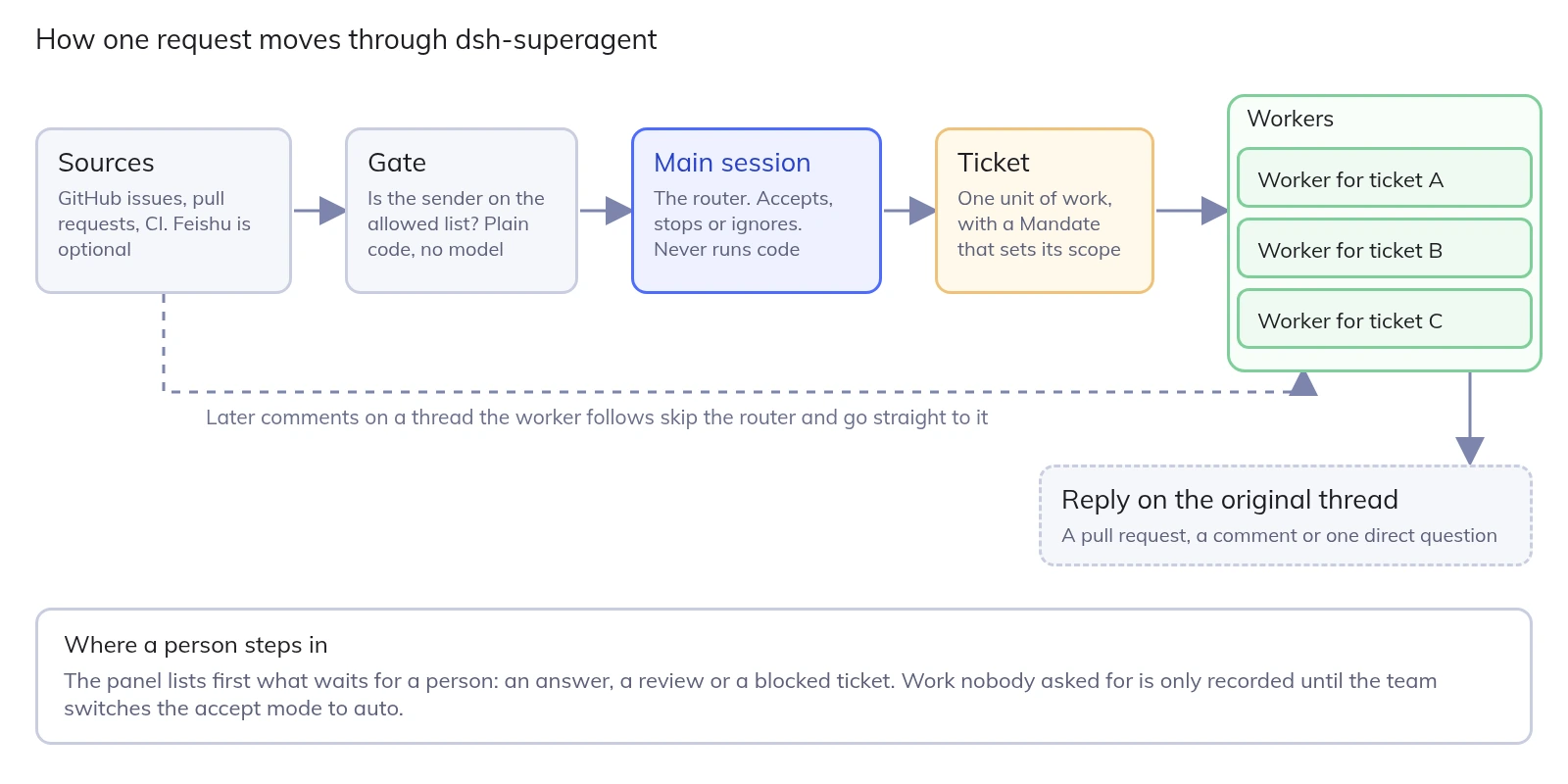
One more point of contrast. The article distinguishes this from an Agent Team. In an agent team, a lead breaks one complex task into steps and coordinates the roles that work on it, which is a heavy reasoning load. The Super-agent router only dispatches independent tasks and tracks how they relate at a high level. It does not decompose the work itself.
What does it do when nobody asks?
This is where the project’s philosophy gets practical. The first document in the repository states the principle in one line: take as little human attention as possible, and give as much value as possible. Every message the agent sends costs a colleague’s attention, so it speaks only when a person must act or can use a result, and it acts only when asked or when a rule the team wrote allows it.
The gate that enforces this is plain code, not a model. It checks who is asking against the team’s allowed list and records how strong the request is:
| Strength | Examples from the docs | What happens |
|---|---|---|
| Explicit | A person on the allowed list mentions the agent, or follows up on a thread that already has a ticket | The agent accepts the work in every mode |
| Inferred | A bot on the Source’s bot list, or an unlisted person’s follow-up. An unaddressed message the team chose to receive | Assessed against the team’s written rules. In the default observe mode it is only recorded as “would accept” |
| Not admitted | Any other bot, anything the admission table ignores | Dropped before any model is called |
That observe mode is the part I like most. The agent starts by recording what it would have done, so the team can read those records on the Eval tab and widen its permissions only when they look right. Messages, comments and quoted documents are treated as inputs to a decision. They cannot change what the agent is allowed to do.
The design article shows what proactive work looks like in practice. In the internal DeepSeek Harness user group, the team configured a “silently reproduce and fix” policy. When someone reports an issue or discusses a proposed change, the agent tries to reproduce it and find a fix in the background, and it delivers a result only after it has confirmed the problem and found a simple fix. Otherwise it stays quiet. The article also gives a blunt rule for chat channels that the authors say they verified: cap each reply at 100 words. On GitHub, by contrast, pull requests should be dense, with the problem background, the change description and the verification results.
By default every GitHub message the agent posts starts with the line “This is by an automated agent, not a human”. Teams can edit that, along with the rest of the prompts.
Do the benchmark numbers hold up?
The article includes a small experiment, and the authors are careful to call it indicative only. Four designs ran side by side on a stream of group-chat and CI messages: about 300 messages per run, around 20 of them real work requests, five runs each. Coding work was simulated by a tool that simply consumes time, so the test measures scheduling and coordination, not the quality of anyone’s code.
| Design | Task completion time, p50 / p95 (min) | Cache-read tokens per run |
|---|---|---|
| Super-agent | 12.4 / 15.7 | 23.2M |
| Super-agent without pass-through | 12.6 / 15.5 | 31.8M |
| Single session with subagent tool, neutral prompt | 20.4 / 29.5 | 6.1M |
| Single session with subagent tool, delegation prompt | 13.8 / 29.0 | 10.8M |
Read the table twice, because the headline is not the whole story. The router design cut p95 completion time to about half that of a single session, but it used roughly two to four times the cache-read tokens. And the most interesting row is the second one: removing the pass-through shortcut did not make tasks finish faster or slower, it just made the router do about 30 percent more decisions and burn 37 percent more tokens.
My read is that the real finding sits in the single-session rows. With a neutral prompt, the model never called a subagent in any of the five runs. It did the work itself, new messages kept interrupting it, and the slowest tasks took 29.5 minutes. With a prompt that told it to delegate, it delegated in four of five runs, and in the remaining run the model judged the work “small” and did it itself. A single session depends on the model’s mood. A router that is not allowed to run code cannot make that mistake.
A separate stress test on the router alone raised the arrival rate of decision-worthy events from about 1 to about 40 per minute. The average batch grew from 1.0 to 2.8 events, the time per request rose only from 2.5 to 3.9 seconds, and the amortized time per decision fell from 6.4 to 1.6 seconds. The more events pile up, the cheaper each one gets, up to a limit the authors say depends on context length and how many events a model can handle accurately in one turn.
DeepSeek just open-sourced its Super-agent prototype. One router session talks to people and hands out work, and isolated workers run tasks in parallel off GitHub events. In their own test, p95 completion time dropped from 29.5 to 15.7 min compared with a single session using subagents.
The whale open sourced again. pic.twitter.com/mS4sRbHmyx
– Chubby (@kimmonismus) November 1, 2026
These are self-reported results on synthetic work. They show the scheduling idea is sound. They do not show that the prototype fixes your bugs faster.
What do people close to the project say about its limits?
Soon after the release, Cui Tianyi, from DeepSeek’s product department and one of the final reviewers of the design article, wrote up how he sees the design. His framing is useful because it is modest. He names the central trade-off as continuity across tasks versus task throughput.
On limits, the review is direct. The prototype implements only part of the proposed design. As of his review, DeepSeek Harness had no built-in long-term memory across sessions. And the system has been validated only in a small, trusted environment inside the company. The article’s own open-problems section lists scaling the router, memory over months, working without sessions, context boundaries between agents and how isolated agents should talk to each other, and security.
What should you check before running it?
The documentation is more candid than most launch posts, and it is worth treating its warnings as requirements.
- Workers have wide access. Both permission presets, for the router and for the workers, run with
danger-full-accessas the operator’s OS user. The account wrappers choose which GitHub credentials the agent uses, but the docs say they are defaults and not a security boundary, because a worker can still run a program by absolute path or read your home directory. The recommendation is a dedicated OS account that holds only the agent’s credentials. - Untrusted input is the open security question. The article warns that if a prompt injection or server intrusion compromises the cloud agent loop, every connected device could be reached, and that credentials which enter the model’s context can leak.
- Humans merge by default. The agent never enables auto-merge under its own account. Auto-merge needs a second account’s CLI named in the Delivery requirements prompt, and the default instructions only allow it for small, approved pull requests under 200 changed lines.
- It is built around one repository. Each setup watches a single GitHub repository, and Feishu, a workplace chat tool common in China, is the other first-class source.
- You need DeepSeek Harness and a model provider. Setup lists Node.js 22.19 or newer, pnpm, git 2.32 or newer, tmux, Python 3.8 or newer and GitHub CLI 2.48 or newer. Configuring a model provider is an operator step.
- Noise is a cost. The philosophy document says not to use the agent to produce volume. Mass pull requests and broadcast messages cost your team more than they give.
How would you try it without risking your main repository?
Setup has many steps, so the project asks you to let a coding agent do it with you. According to the README, the agent asks one short question at a time, shows the full plan once, and then installs and configures everything. A cautious first run looks like this:
- Pick a throwaway repository and a dedicated machine user or OS account. Do not use your own login.
- Create a separate GitHub account for the agent. Everything it writes appears under that name.
- Open the repository in your coding agent and paste the prompt below. Answer its questions one at a time.
- Keep the allowed list to yourself and leave the accept mode on observe.
- Request something small. From an allowed account, comment
@<agent login> <request>on an issue. A ticket should appear on the panel’s Overview within about a minute. - Read the Eval tab for a week. Widen the list or switch to auto only when the “would accept” records look right.
The project’s philosophy document gives operators four rules that are worth repeating: start narrow, tune for less noise, do not use the agent to produce volume, and own what it says in your name.
Where should the rest of the agent’s work go?
Suppose a worker spends an hour on a flaky integration test. The pull request is the fix. But the investigation behind it, which tests failed, which hypotheses it ruled out, what the timing table showed, does not belong in a PR description, and it is exactly what the reviewer wants to challenge. If that lives only in a chat reply, the next agent or teammate starts from scratch.
AgentGrid.io is built for that handoff. Humans and AI agents work on the same live documents, apps and files, with one stable address, controlled access and a version history. AgentGrid.io’s docs describe connecting a command-capable agent by running npx @animaapp/cli@latest login. A human approves the agent’s name, team and what it may do: read, write, share or publish. After that, the agent’s changes appear in the history under its own name. The prototype has no built-in AgentGrid.io integration, so treat this as a pattern to try with its workers, not a documented feature.
In practice, the worker writes its investigation as a Markdown file, the reviewer comments on a table row, another assistant tightens the summary, and the pull request links to one current version instead of three pasted copies.
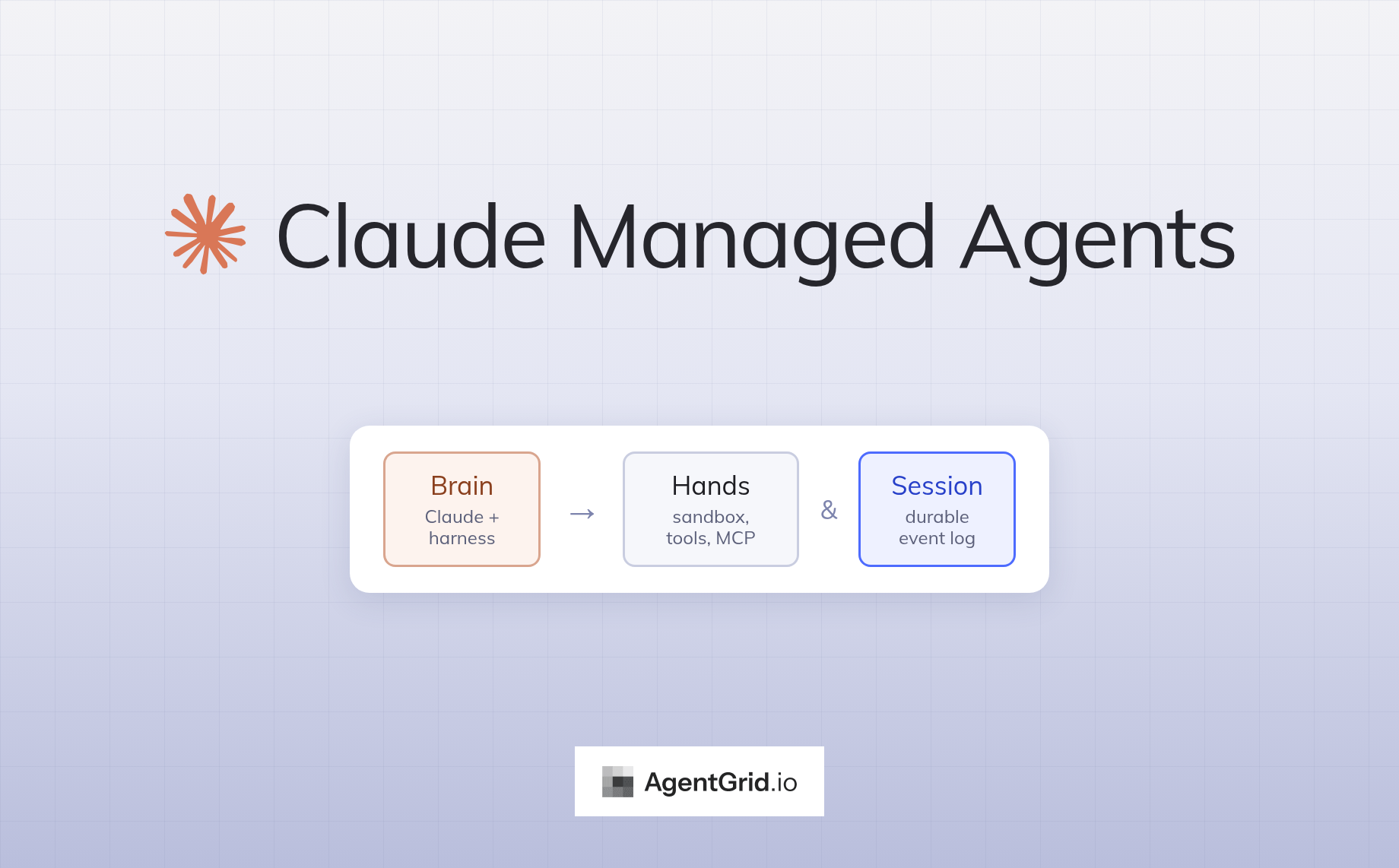
For another take on several people sharing one agent, see our guide to Grok Bot Team Bots. And if you wonder what runs underneath a hosted agent, our guide to Claude Managed Agents looks at Anthropic’s version of the same brain and hands split, which DeepSeek’s article cites.
When should you use dsh-superagent, and when something else?
- Use dsh-superagent to learn from a serious, documented design, to run a contained experiment on a low-risk repository, or to borrow its ideas: a router that never runs code, tickets with a stated scope, observe mode before auto mode.
- Use a single interactive coding agent when you work one task at a time and want to steer step by step. The Super-agent is built for the opposite situation.
- Use AgentGrid.io when the output is a document, report or app that several people and agents need to review, edit and publish, whichever agent produced it.
Frequently asked questions
What is the DeepSeek Super-Agent?
It is a research prototype named dsh-superagent, released by DeepSeek’s Harness team on October 31, 2026 under the MIT license. It is a proactive coding agent for one GitHub repository. A long-lived router session takes requests and assigns each accepted one to its own worker session, which answers in the original conversation, usually with a pull request.
Is the DeepSeek Super-Agent an official DeepSeek product?
No. The README calls it a research prototype for reference only and not an official DeepSeek product, and says to review and adapt it before using it in your own environment. It is also not identical to the internal version or to the implementation the design article describes.
How is a Super-agent different from a sub-agent?
A sub-agent adds a layer below the working agent. A Super-agent adds a layer above it. In this design, the router sits above many workers, talks to people and dispatches tasks, while each worker handles one task in isolation. The name is about position, not a claim of greater intelligence.
Does it need Feishu or only GitHub?
GitHub alone is enough. Feishu is an optional second source, and the documentation says a Feishu setup failure disables only the Feishu source.
Is it safe to run on a company repository?
Not as is. The docs say workers run with full access as the operator’s OS user and that the wrapper accounts are not an isolation boundary. They recommend a dedicated OS account, a dedicated agent account on GitHub, a short allowed list and observe mode while you learn how the agent behaves.
Is it faster than a single coding agent session?
In the authors’ own simulated test, the router design finished the slowest tasks in 15.7 minutes against 29.5 minutes for a single session with a subagent tool, using more tokens. The test used simulated coding work and five runs per design, so it shows scheduling benefits, not code quality.