
 Figma
 API
 Web to code extension
 Adobe XD
 Discord
 Twitter
 GitHub


 Blog

Google Stitch Review (2026): Is It Free? Features, Figma Export, MCP and Alternatives21 min read
Reading Time: 13 minutesGoogle Stitch is a free AI design tool from Google Labs that turns a text prompt, an image or a website reference into high-fidelity UI screens, then lets you refine them on an infinite canvas and export to Figma, code, Google AI Studio or Antigravity. It started in May 2025 as a prompt-to-UI experiment and became an AI-native design canvas in March 2026. This review is for designers, product managers and founders who want to know what Stitch does well, where it stops and whether it can replace Figma.
Facts reflect Google’s own announcements, Google developer docs and public user reports as of November 2026. Stitch is a Google Labs product, so features and limits change often. Confirm current details at stitch.withgoogle.com. This review draws on Google’s official material and public user reports.
Our verdict in one line: Stitch is the best free way to explore UI directions fast, and its tie-ins with Google AI Studio and Antigravity are genuinely useful for builders. It is not a Figma replacement. Output can feel generic, exports to Figma often arrive as flat structure, and Google does not publish a firm free-tier limit or a long-term plan. Below you will find the features, limits, Figma and code export, MCP, a step-by-step walkthrough with example prompts, what users say and the best alternatives, including Anima Playground.
In the age of AI, design is code. To design directly in code with AI, or to turn your Figma designs into code, use Anima Playground: describe a screen or start from a Figma design, then keep iterating on an editable app you can preview and publish.
Google Stitch review: quick verdict
| Area | Rating | Summary |
|---|---|---|
| Speed from prompt to screens | Strong | Streams screens onto the canvas in real time. Fast mode is quick, the Pro model takes longer. |
| Visual quality | Mixed | Clean layouts, but Reddit reviewers call results plain and generic, even with references. |
| Design systems | Good | Extracts a design system from a URL and uses DESIGN.md, an open format for design rules. |
| Figma handoff | Mixed | Copy to Figma exists, but it is reported as unavailable in some modes and often arrives as flat or messy layers. |
| Developer handoff | Strong | Code export, an MCP server and SDK, and export to Google AI Studio and Antigravity. |
| Price and limits | Strong, with a caveat | Free with a Google account. Monthly generation caps exist, and Google does not publish one current number. |
Best for free exploration and for builders in the Google stack. Less suited to teams that need native Figma components, strict brand control or a guaranteed long-term product.
What is Google Stitch?
Stitch is an experiment from Google Labs that generates user interfaces from natural language, images and other context. Google acquired Galileo AI in May 2025 and launched Stitch at Google I/O that month, built on Gemini 2.5. Galileo users were given 30 days to migrate. If you searched for Galileo AI, this is the product that replaced it.
Timeline of what changed
| Date | Update |
|---|---|
| May 2025 | Stitch launches from Google Labs: prompt and image to UI, variants, paste to Figma and front-end code export. |
| March 18, 2026 | Google introduces vibe design: an AI-native infinite canvas, a design agent, an Agent manager, DESIGN.md, instant prototypes, voice, and MCP and SDK access. |
| April 21, 2026 | Google open-sources the draft DESIGN.md specification. |
| May 19, 2026 | At I/O, Stitch streams work to the canvas in real time with the Stitch Agent, creates shareable links through Google AI Studio, exports to Google Antigravity and publishes to the web with Netlify. |
Google Stitch features in 2026
Prompt, image, URL or voice to UI
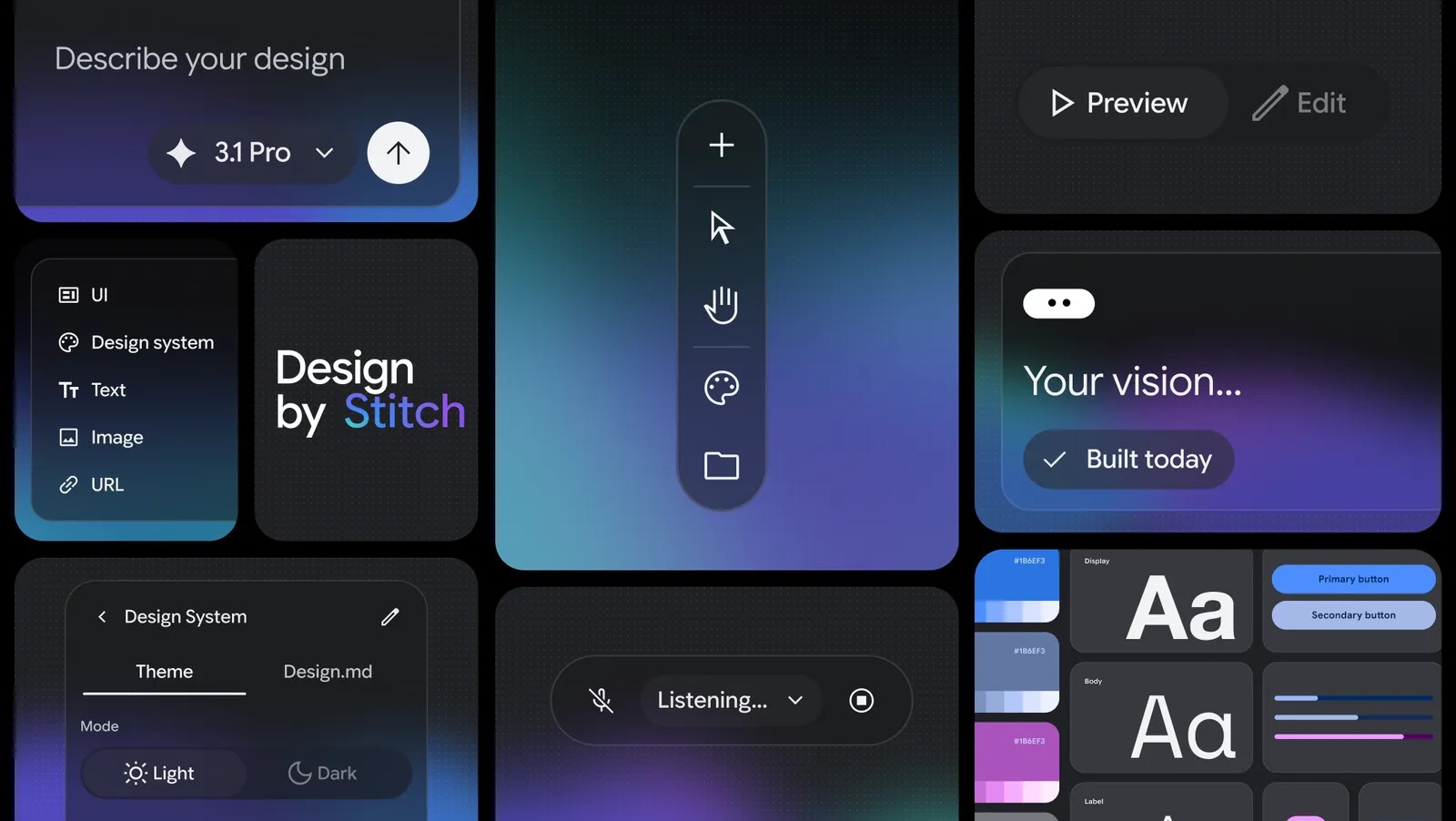
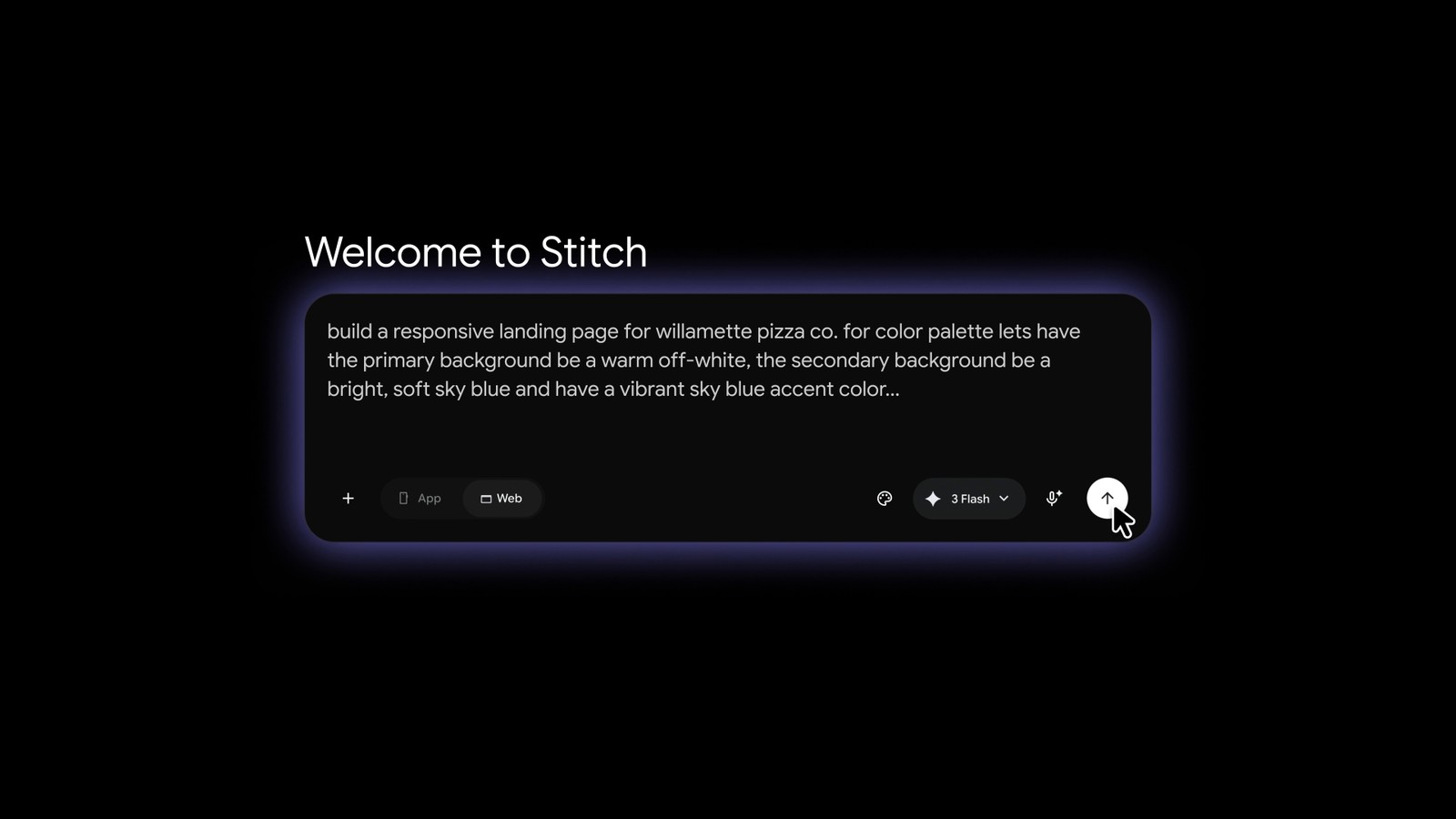
You can start by explaining the business goal, the feeling you want or a reference, instead of drawing a wireframe. Stitch also accepts images, text and code as context on the canvas, and you can speak to the canvas for critiques and live changes. The prompt box has an App and Web toggle and a model selector, which Google’s own demos show as options such as 3 Flash and 3.1 Pro.
Infinite canvas, design agent and Agent manager
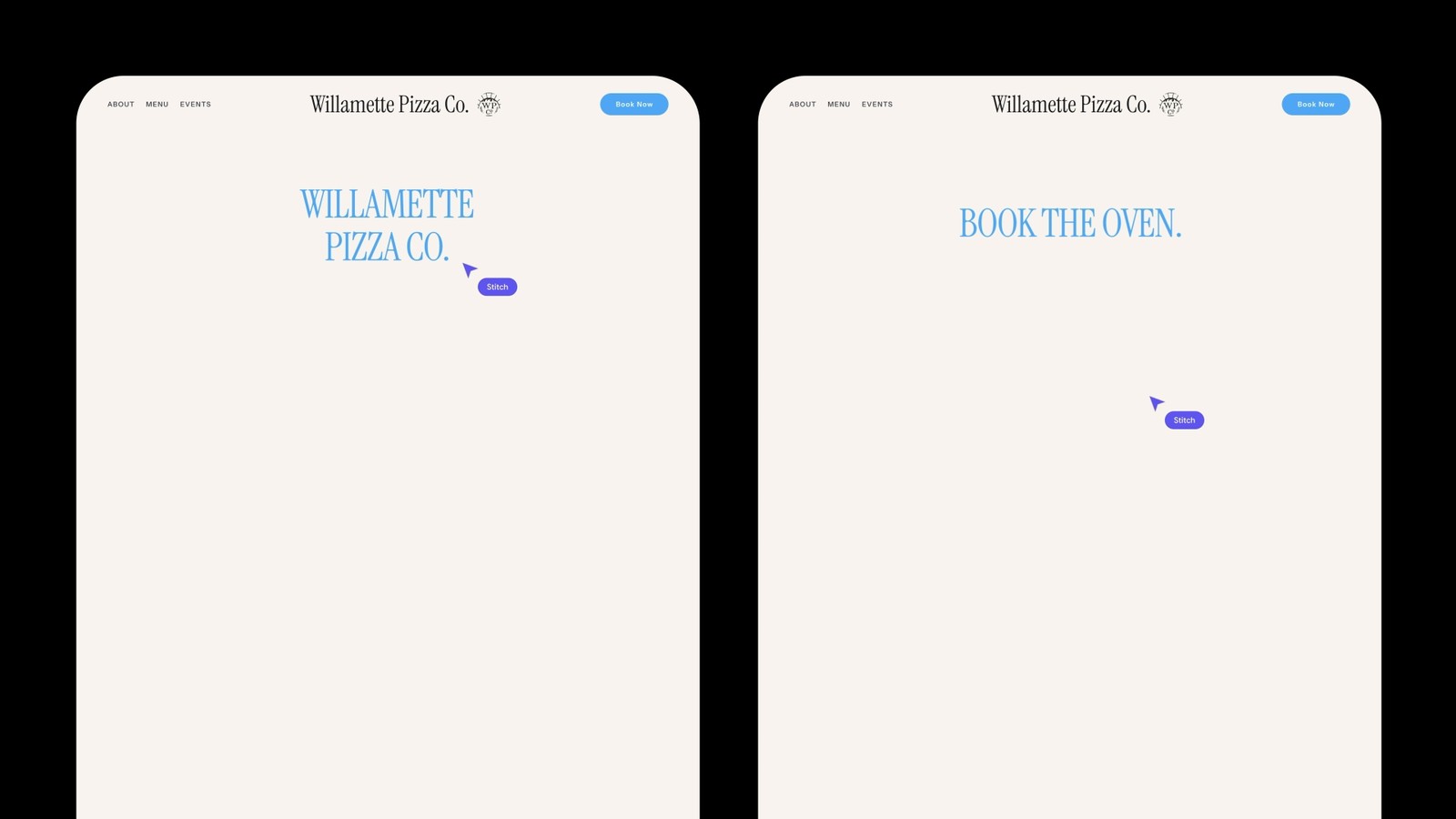
The canvas holds screens, references and ideas in one place. The design agent reasons across the whole project, and the Agent manager tracks several explorations in parallel. At I/O 2026 Google added real-time streaming, so you watch Stitch build a page and can steer it before it finishes.
Design systems and DESIGN.md
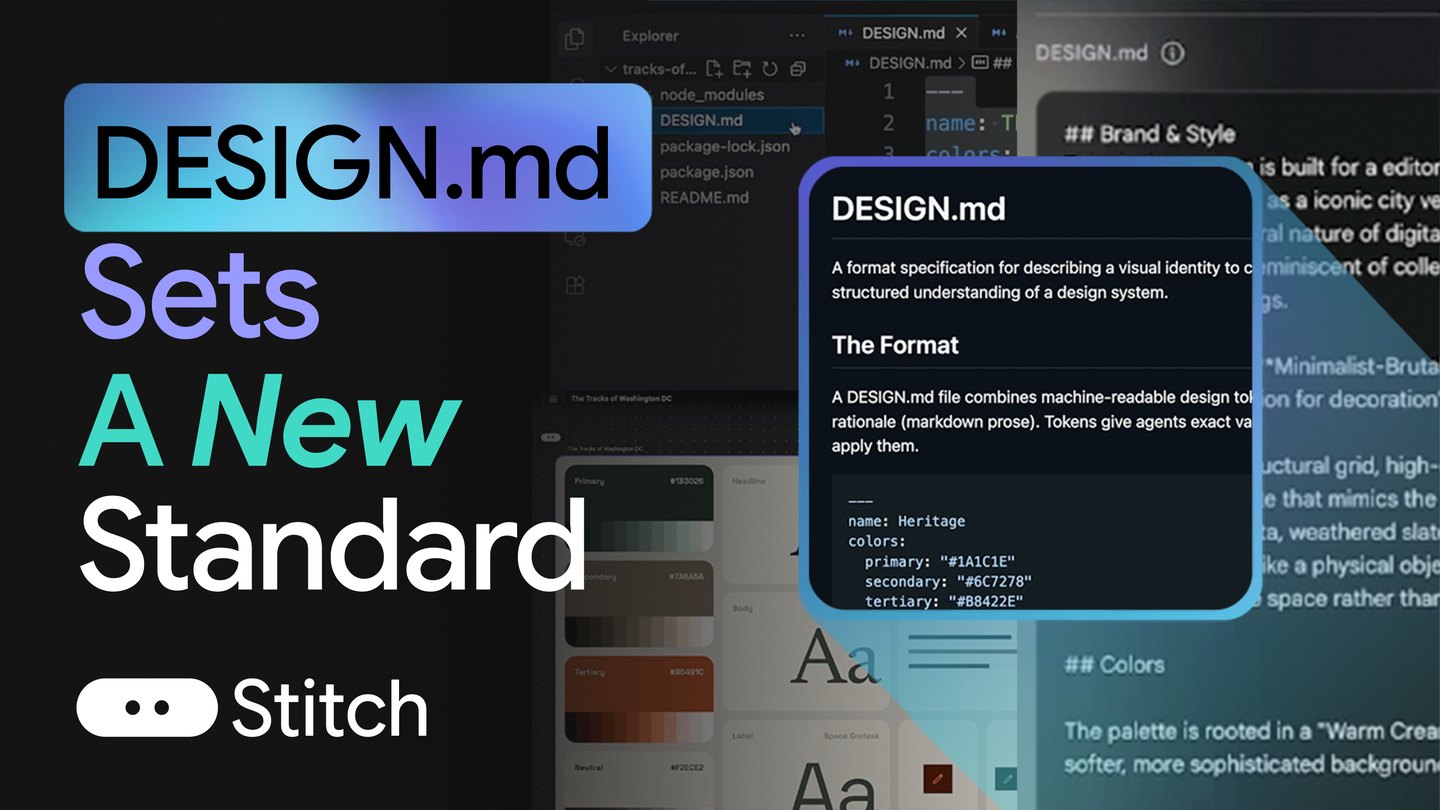
Stitch can extract a design system from any URL, and it uses DESIGN.md, a Markdown file with design tokens in YAML plus written rationale for colors, type, spacing and components. You can export it, import it into another Stitch project or share it with a coding agent. Google open-sourced the draft spec in April 2026 so other tools can use it.
Instant prototypes
You can link screens together and press Play to click through a flow. Stitch can also generate logical next screens from a click, which maps a journey quickly. For why flows and prototypes matter at different stages, see wireframes vs prototypes.
Share, publish and export
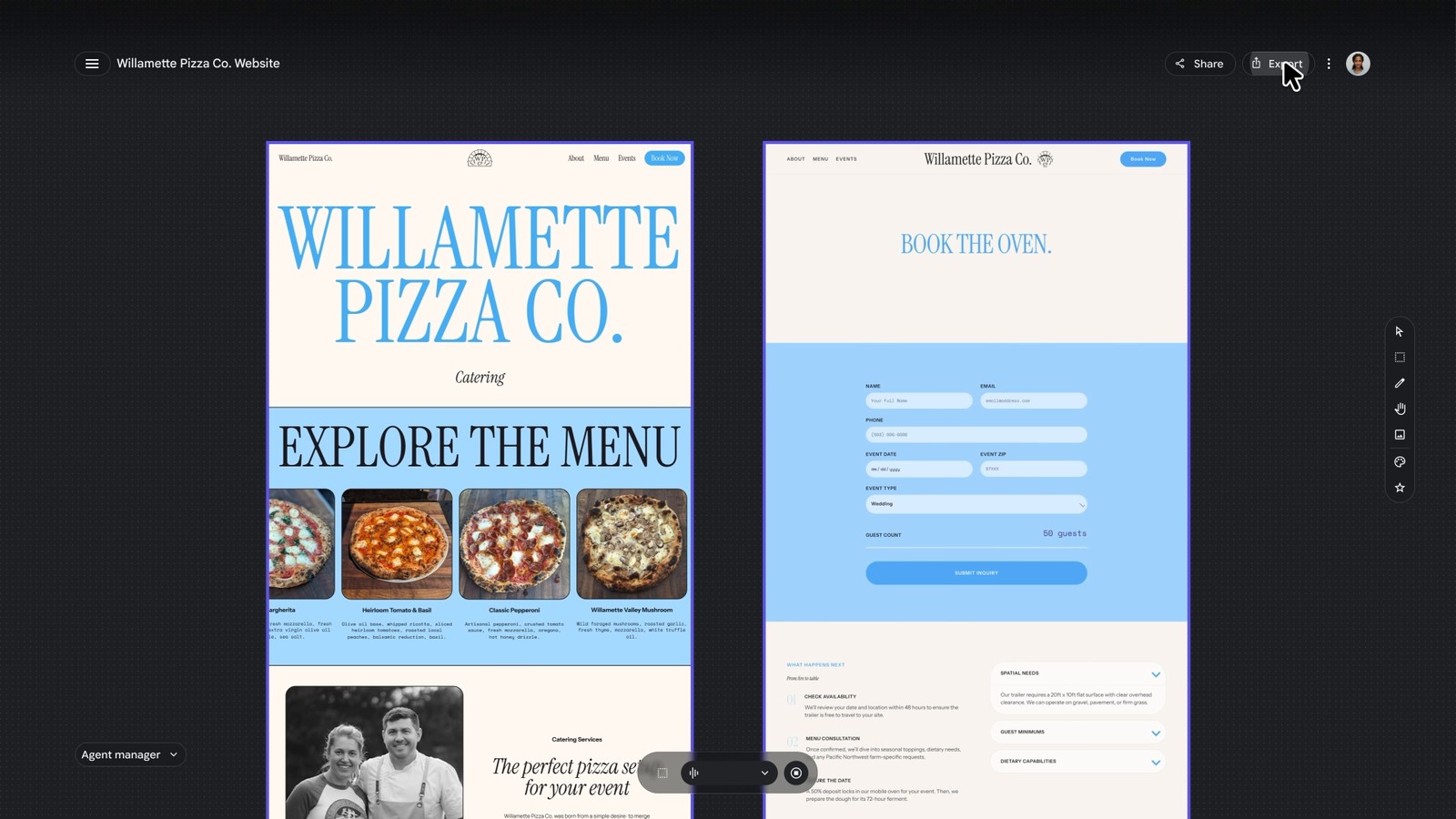
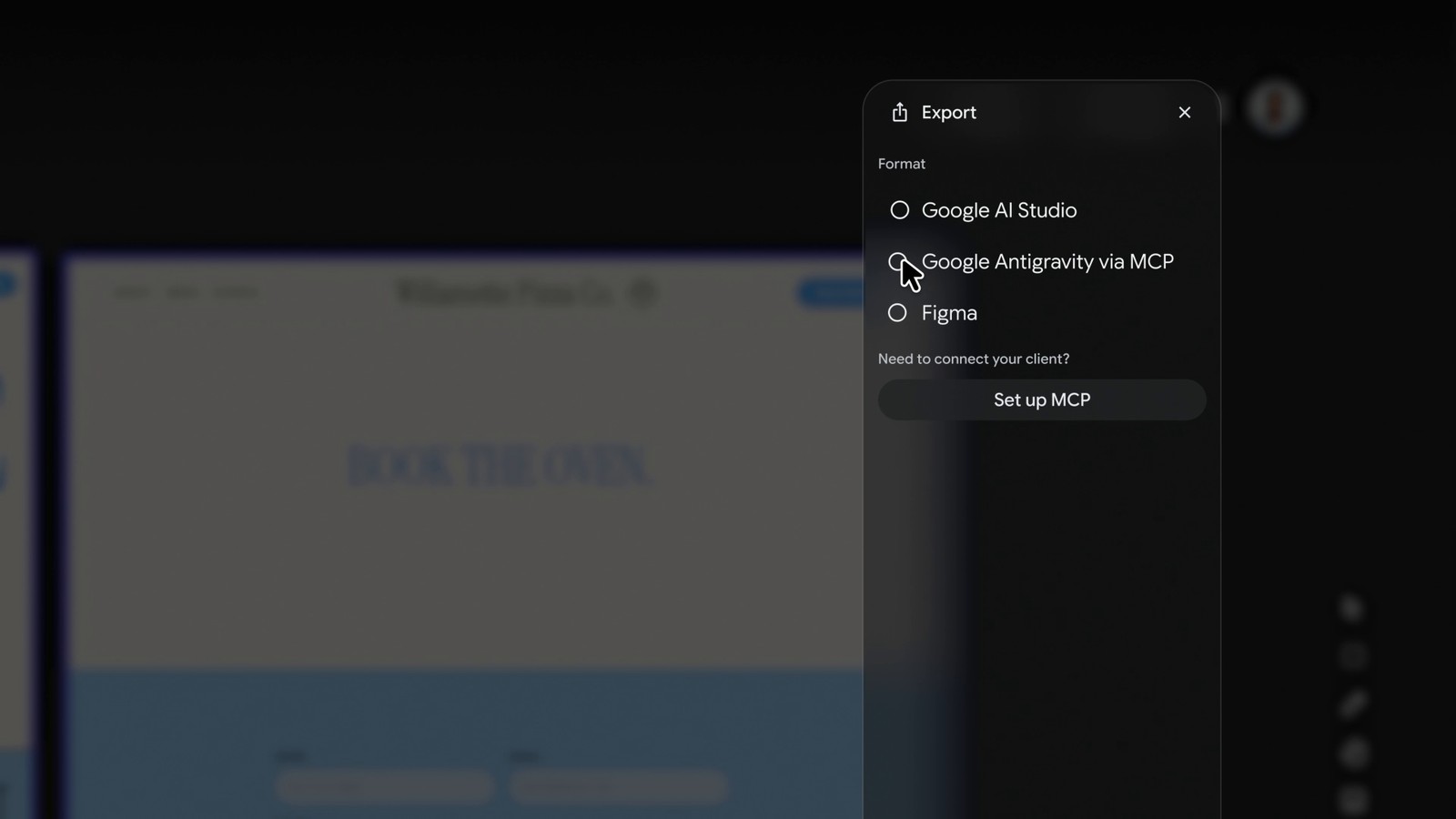
From the canvas you can create a shareable link through Google AI Studio, export to Google Antigravity to add backend logic, or publish to the web with Netlify. Google’s own export panel in the I/O demo lists Google AI Studio, Google Antigravity via MCP and Figma.
Is Google Stitch free? Pricing and limits
Yes. Stitch is free with a Google account at stitch.withgoogle.com and there is no paid plan. It is a Google Labs product, available to people 18 and over in a large number of countries, so it may not be offered everywhere.
| Question | Answer |
|---|---|
| Price | Free. No paid tier is offered, and Google has not announced one. |
| Generation limits | Google support told users in August 2025 that each person gets 350 Standard generations and 50 Experimental generations a month. Later third-party reports describe a higher Pro cap. Google does not show one current number on its public pages, so check in the app. |
| What counts as a generation | Google said each variation counts as a full screen generation toward the monthly total. |
| Can you pay for more? | Google staff have said there is no way to pay to increase generations. A form lets heavy users ask the team for more. |
| Risk | It is a Labs product. Google has retired Labs experiments before, so export what you want to keep. |
The practical advice is to explore in Fast mode, save the Pro model for screens you plan to ship, and export finished work the same day.
Google Stitch to Figma: how export works
Stitch supports Copy to Figma and paste, and Google shows Figma in its export panel. In practice the details matter:
- Reports on Google’s developer forum and Reddit say Copy to Figma is not offered for designs made in the Thinking or Pro modes, so quality and Figma export can pull in opposite directions.
- Reddit users describe imports where text arrives as vectors and frames are used as spacing inside auto layout, so much of the result has to be rebuilt.
- A common workaround is to download the Stitch code and bring it into Figma with a plugin such as html.to.design, which tends to give a more faithful import.
The sensible workflow is to finish iterating in Stitch, export once, then rebuild proper components and tokens in Figma. Every regeneration invalidates manual cleanup you did on an earlier export. If you want an agent inside Figma that already respects your components, look at Anima’s Buddy or UX Pilot’s Nodey.
Google Stitch code export and MCP
Stitch has produced front-end code since launch, and reviews describe HTML with Tailwind classes that developers can use as a starting point. Treat it as scaffolding: one large component with static data is a common result, so plan to split components and wire state.
The Stitch MCP server and SDK are the more interesting developer story. A coding agent such as Google Antigravity can fetch your project, read the design tokens and screens, and build from them. Google’s own codelab walks through creating an API key in Stitch settings, adding the Stitch MCP in Antigravity, generating a DESIGN.md and building a React and Tailwind site. The MCP reference lists tools for creating projects, generating screens from text, editing screens, generating variants and managing design systems, including uploading a DESIGN.md.
If your end goal is a working React or HTML app rather than a design file, compare this route with Anima Playground, which builds the editable app directly.
How to use Google Stitch: a step-by-step walkthrough
This walkthrough follows Google’s own announcements, developer docs and I/O demo videos. The prompts below are starting points to try yourself, and results vary from run to run. The images are Google’s official visuals, credited as such, plus one view of the public landing page. Stitch changes often, so button names and model names may differ when you open it.
If you also want to compare tools, try the same plant-swap prompt below in Stitch and in UX Pilot. Our UX Pilot review shows how that prompt turned out there, so you can compare the two with the checklist at the end.
Step 1: open Stitch and sign in
Go to stitch.withgoogle.com and sign in with a Google account. Stitch is a Google Labs product for people 18 and over in supported countries. The public landing page is a single prompt box with an App and Web toggle, a model chip and a few starter suggestions.
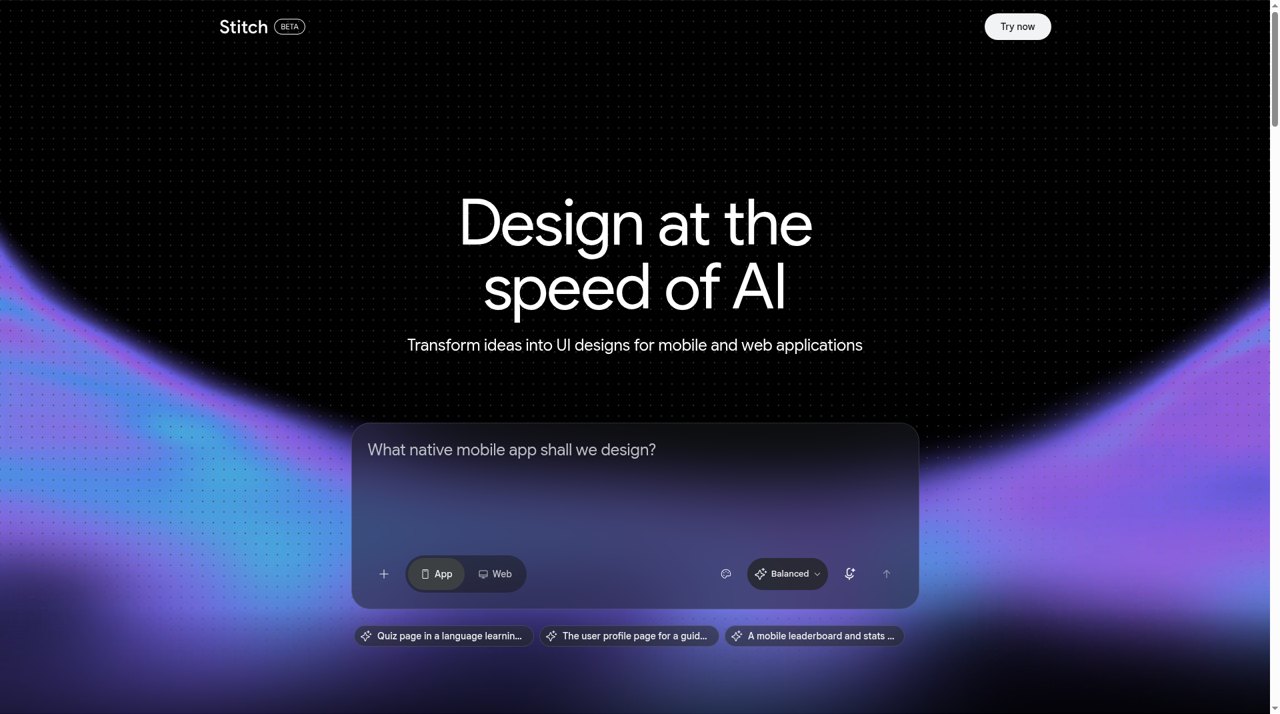
At the time of writing, the model chip on the public page reads Balanced, while Google’s I/O demo frames show model names such as 3 Flash and 3.1 Pro. Names and options change between releases, so pick whichever fast and high-quality options the app offers on the day.
Step 2: choose App or Web and a model
The toggle tells Stitch whether you are designing a native mobile app or a web page. Google’s own demo uses Web. For the plant-swap prompt below, choose App. To protect your free generations, explore with the faster model and keep the higher-quality model for screens you plan to ship. The limits are covered above in the pricing section.
Step 3: write a prompt, with context
Google’s guidance is to start with the business objective, the feeling you want users to have, or examples of what inspires you, instead of a wireframe. Stitch also accepts images, text and code as context on the canvas, and it can extract a design system from a URL. Here is Google’s own demo prompt from the I/O video, as shown on screen in the prompt box image earlier in this review:
build a responsive landing page for willamette pizza co. for color palette lets have the primary background be a warm off-white, the secondary background be a bright, soft sky blue and have a vibrant sky blue accent color…
And here is a brief you can try on both Stitch and UX Pilot. Choose App, paste it and submit:
A mobile app for a neighborhood plant-swap community: home feed, plant detail page, and chat screen. Clean, friendly, green accent.
Tips that follow Google’s guidance: name the screens you want, state the feeling (clean, friendly), give one accent color, and attach a reference image if you have one.
Step 4: watch it generate and steer
At I/O 2026 Google said Stitch now streams its work straight to the canvas, so you can watch a page take shape. The Stitch Agent lets you steer iterations before the result is final, and the Agent manager tracks several explorations in parallel. In Google’s demo you can also speak to the canvas to ask for critiques or changes.
Step 5: edit with follow-up prompts
Once screens exist, refine them with short follow-ups in the chat, or select a screen and ask for a change. Stitch’s MCP reference also lists tools to edit screens and to generate variants, which is useful when you want several directions of one screen. A follow-up you can try on the plant-swap result:
Make the home feed a 2-column grid and add a search bar
When you compare tools, note whether the rest of the screen stays the same after an edit, because regenerate-style edits can change areas you did not ask about.
Step 6: apply a design system with DESIGN.md
Stitch can pull a design system from a URL, and it stores design rules in DESIGN.md, a Markdown file with tokens and written rationale. You can export it, import it into another Stitch project or hand it to a coding agent. Google’s demo applies a design system to a whole site with a plain-language prompt:
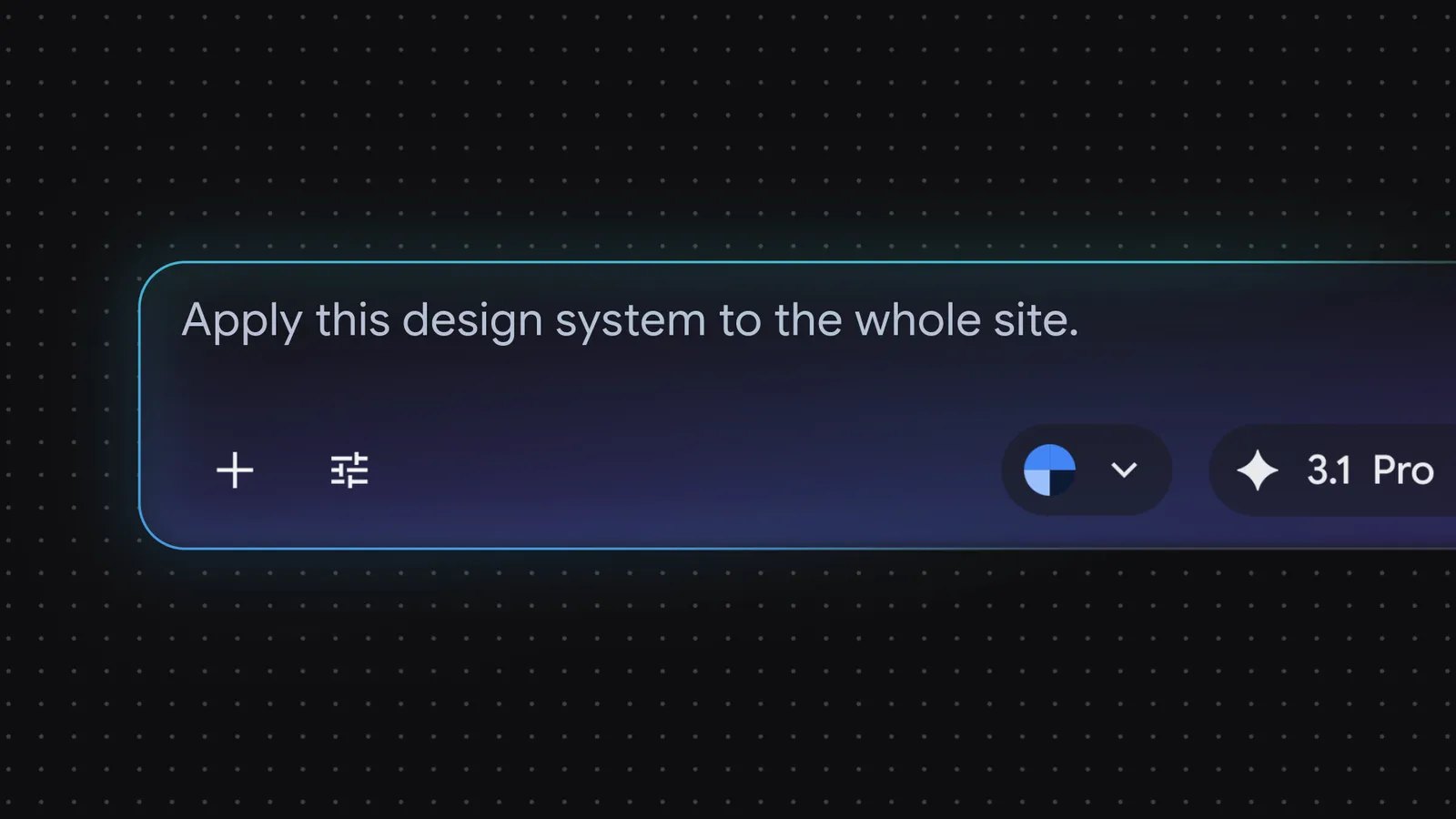
Apply this design system to the whole site.
Step 7: link screens and press Play
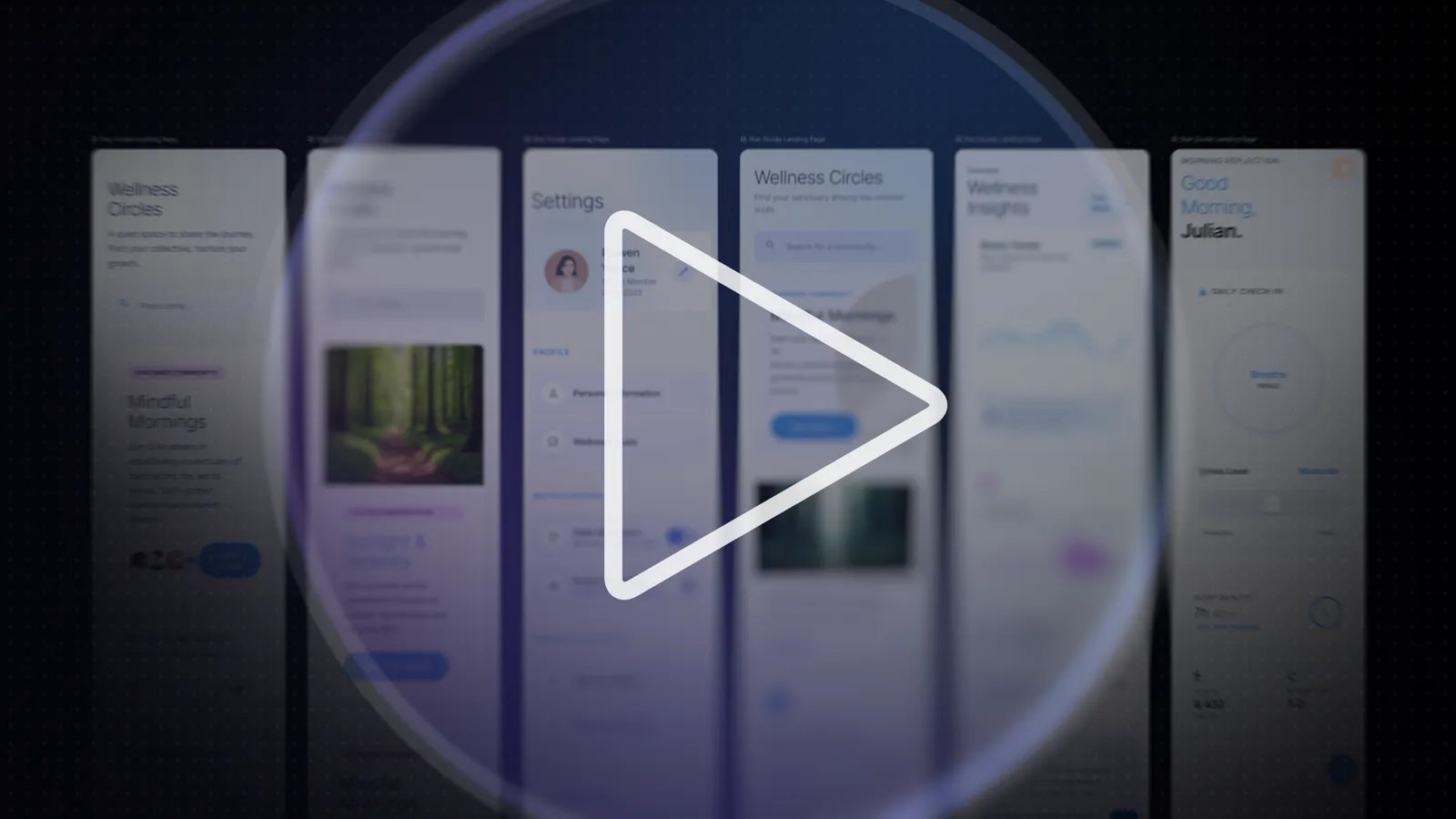
Google says you can stitch screens together in seconds and click Play to preview the flow. Stitch can also generate logical next screens from a click, which helps you map a journey fast. For the plant-swap app, link the feed to the detail page and the detail page to the chat, then click through.
Step 8: share and export
When you are done, open Export. Google’s I/O demo shows Google AI Studio, Google Antigravity via MCP and Figma. You can also create a shareable link through AI Studio, or publish to the web with Netlify. For developers, the Stitch MCP and SDK need an API key from Stitch settings, as Google’s codelab describes. Read the Figma export notes above before you rely on Copy to Figma.
A checklist for judging your own result
- Does every screen you named exist, with realistic content instead of placeholder text?
- Is the accent color and type consistent across screens?
- After the edit prompt, did only the requested area change?
- How many generations did the exploration use, and how long did cleanup in Figma take?
Sources: Google’s vibe design announcement, the I/O real-time design update and the DESIGN.md announcement.
What users say about Google Stitch
- Praised: speed, a generous free tier, multi-screen generation, the canvas, design system extraction and the developer links to AI Studio, Antigravity and MCP.
- Criticized: plain or generic output even with references, weak control on complex SaaS and enterprise designs, Figma exports that need rebuilding, hitting monthly generation caps, and occasional generation errors reported on Google’s forum.
One designer on r/UX_Design says Stitch is “an amazing ideation and quick iteration tool” but that results stayed “very plain and generic” even after adding references. A user on r/StitchAI says much of what they get back has to be recreated from scratch after importing to Figma. Both are individual reports, not measured rates.
Google Stitch pros and cons
| Pros | Cons |
|---|---|
| Free with a Google account | Monthly generation limits, and no published current number |
| Infinite canvas with real-time streaming and an Agent manager | Output can look generic or template-like |
| DESIGN.md is an open format other tools can read | Copy to Figma is unavailable in some modes and often arrives flat |
| MCP server and SDK, plus AI Studio and Antigravity export | Code is a starting point, not production-ready |
| Voice, instant prototypes and shareable links | It is a Google Labs product with no paid plan or published roadmap |
Google Stitch vs Figma: can Stitch replace Figma?
No, and Google does not position it that way. Stitch owns the zero-to-one phase: exploring directions, getting a first design and handing it to code. Figma owns refinement, components, variables, collaboration and handoff for large teams. The two meet at the export step, which is where most of the friction is.
| Google Stitch | Figma | |
|---|---|---|
| Strength | Fast exploration from prompts, images and voice | Precise editing, components, variables, team libraries |
| Price | Free in Google Labs | Paid plans, free starter tier |
| Design system | Extracted from a URL, DESIGN.md | Libraries, variables, Dev Mode |
| Code | HTML export, MCP, Antigravity | Dev Mode, Figma MCP, Make code export |
| Maturity | Labs experiment | Established product |
If you want to see Figma’s own AI prototype tool, read our guide to Figma Make.
Best Google Stitch alternatives
1. Anima Playground
Choose Anima Playground when you want to design directly in code. Describe a screen or start from a Figma design, an image or a website URL, then keep iterating on an editable HTML or React app that you can preview, share and publish. Stitch is a design exploration tool that exports code. Playground treats the working app as the design, so spacing, states and responsive behavior are visible while you iterate. It is not a source of native Figma layers, so pair it with the Anima Figma plugin or Buddy if you need that.
2. UX Pilot
Better for Figma-centered teams: Nodey runs inside Figma, imports your components and generates native layers. It costs credits beyond a free daily allowance. See our UX Pilot review.
3. Figma Make
Interactive prototypes inside Figma. Read what Figma Make is or the Figma Make vs Anima Playground comparison.
4. Claude Design
Chat-led concepts, slides and prototypes with a Claude Code handoff. See our Claude Design review.
5. Buddy by Anima
An AI design agent inside Figma that uses your design-system context. Choose it if you want to stay on the Figma canvas.
| Tool | Best for | Output | Pricing |
|---|---|---|---|
| Google Stitch | Free exploration, Google-stack builders | Screens, HTML, AI Studio, Antigravity | Free in Google Labs |
| Anima Playground | Working web apps from prompt, Figma, image or URL | Editable HTML and React you can publish | See Anima pricing |
| UX Pilot | Product UI and flows with Figma handoff | Editable designs, Figma layers, code | Free, then $19 to $39 a month |
| Figma Make | Interactive prototypes in Figma | Prototype app and ZIP code | Included credits on Figma plans |
| Claude Design | Chat-led visual concepts | Prototypes, slides, one-pagers | Claude paid plans |
Who should use Google Stitch?
- Founders and PMs who need a credible first design without paying for a tool.
- Designers exploring many directions before opening Figma.
- Developers who want design context for Antigravity or another MCP-capable agent.
Look elsewhere if you need strict brand control, native Figma components, guaranteed capacity or a stable long-term product.
Final verdict: is Google Stitch worth it?
Yes, as a free exploration tool. Use it to get several directions quickly, then move the winner into Figma or a coding agent, and export the same day. Do not plan an agency workflow around it until Google publishes limits and a roadmap. If you want the design and the working app to stay together, try Anima Playground next.
Design Directly in Code with AI
Design with AI: Describe a screen or turn Figma designs to code.
Google Stitch FAQ
What is Google Stitch?
Google Stitch is a Google Labs AI tool that generates high-fidelity UI designs and front-end code from text prompts, images and other context on an infinite canvas. It launched in May 2025 and replaced Galileo AI, which Google acquired.
Is Google Stitch free?
Yes. Stitch is free with a Google account and has no paid plan. Monthly generation limits apply, and Google support cited 350 Standard and 50 Experimental generations a month in August 2025. Later reports differ, so check the current limit in the app.
How do I log in to Google Stitch?
Go to stitch.withgoogle.com and sign in with a Google account. Stitch is a Google Labs product for users 18 and over, and it may not be available in every country.
Can Google Stitch export to Figma?
Yes, with Copy to Figma and paste, but it is reported as unavailable for some modes and often arrives as flat layers. Many users download the code and import it with a plugin such as html.to.design instead.
Does Google Stitch have an MCP server?
Yes. The Stitch MCP server and SDK let coding agents such as Google Antigravity read your projects, generate screens and use your design system. You create an API key in Stitch settings to connect.
What are the best Google Stitch alternatives?
Anima Playground is a strong choice if you want an editable HTML or React app from a prompt or Figma design. UX Pilot suits Figma teams, Figma Make suits interactive prototypes in Figma, and Claude Design suits chat-led concepts.