
 Figma
 API
 Web to code extension
 Adobe XD
 Discord
 Twitter
 GitHub


 Blog

How to Publish a Website with Claude Code10 min read
Reading Time: 7 minutesYour site runs at localhost, the client asks for a link, and Claude Code says the implementation is finished. The missing step is deployment. To publish a website with Claude Code, first establish a reproducible local build, test the actual output, and choose a host or an artifact publishing workflow. Claude Code is a coding agent, not a guarantee that local files are already available on the public web.
If several people or agents need to review the same site before launch, read the documented Claude Code to AgentGrid.io connection route. If your team already has Git-based deployment, keep that route instead.
How to publish a website with Claude Code and AgentGrid.io
1. Connect Claude Code as a coding agent
Open your AgentGrid.io workspace and tell Claude Code to run npx @animaapp/cli@latest login. It receives a verification link and short code; you open the link and approve its name, workspace reach, and capabilities. Read and write are enough for preparing a private draft; reserve publish for a separate decision. This route is for Claude Code’s terminal-capable environment. The ordinary Claude chat app instead uses the AgentGrid.io connector from Claude’s directory, so installing that connector is not a substitute for checking Claude Code’s own identity and access.
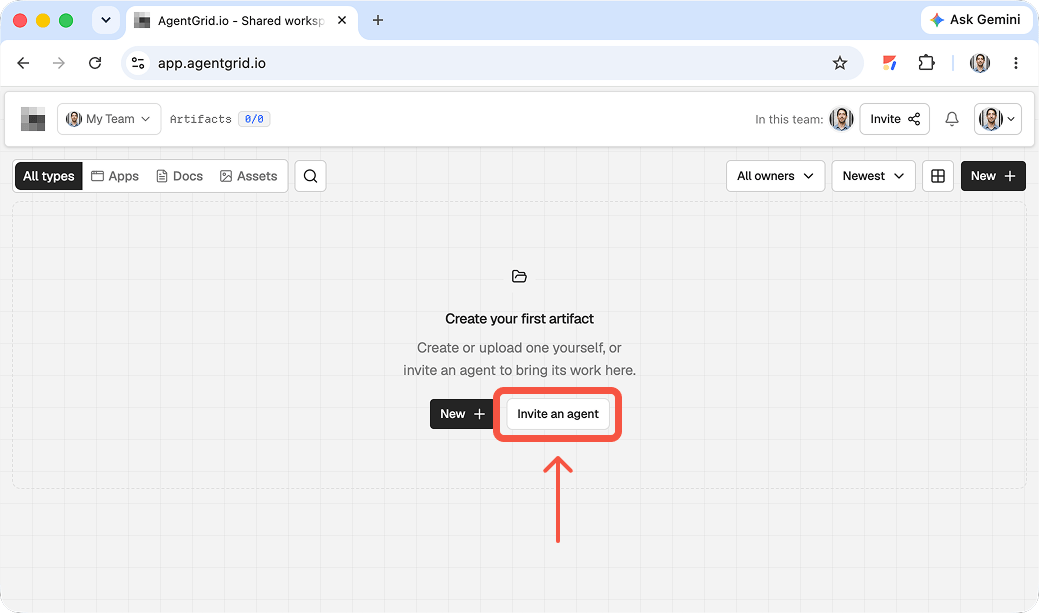
2. Share the working website as an app artifact
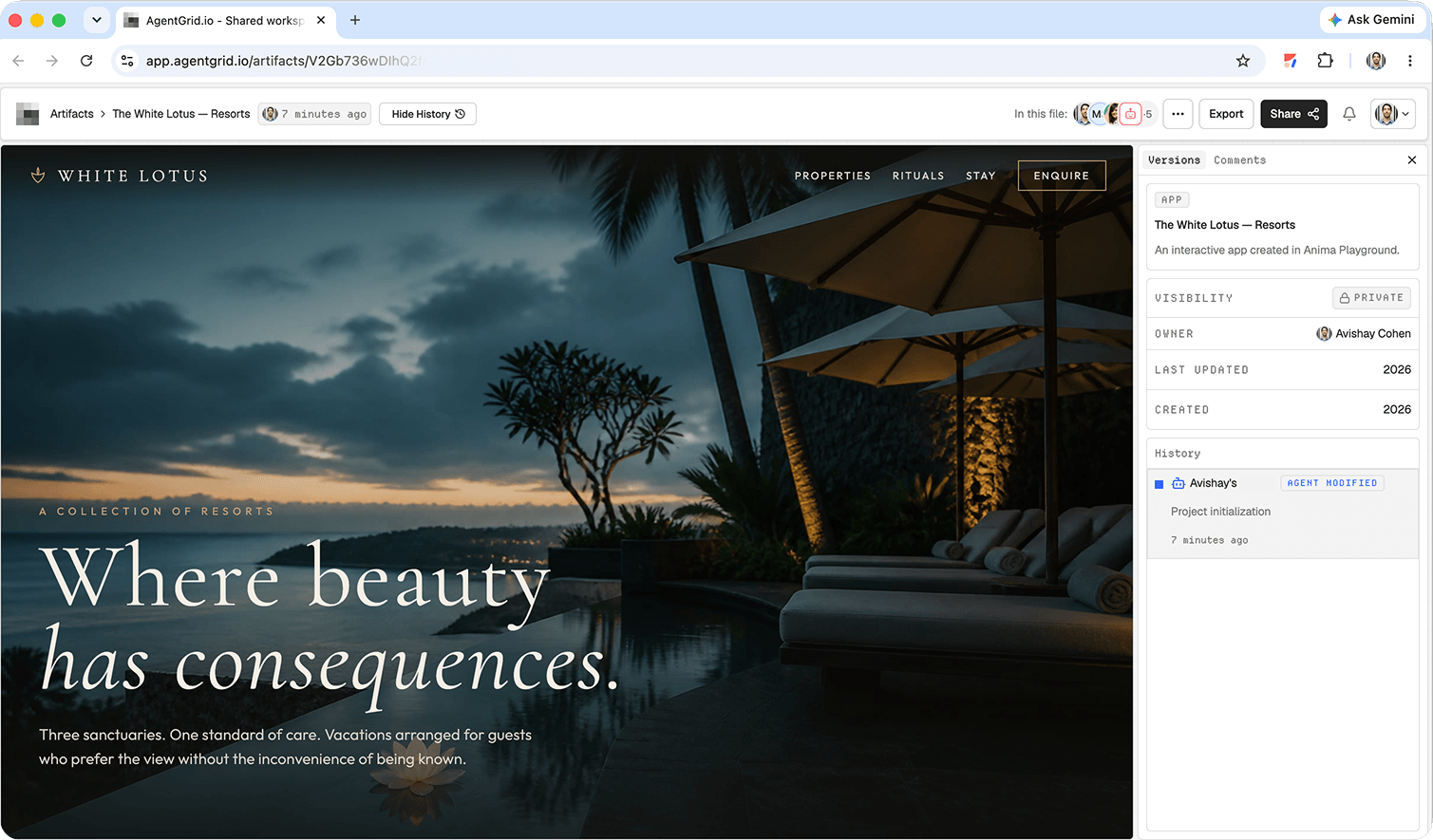
Once Claude Code has produced the site, ask it to put the project source and necessary assets into the approved AgentGrid.io workspace as an app, then return the artifact URL. Say explicitly: “Keep this as a private draft. Do not publish it yet.” Open the link and check the rendered result against the local project, including fonts, images, routes, and interactions. Keep secrets, dependency folders, and generated build output out of the transferred source. If Claude Code worked before connecting and returned a claim link, take ownership through that flow instead of treating the unclaimed preview as a permanent team artifact.
3. Give feedback on the shared version
Review the artifact at desktop and mobile widths, and test its main call to action, navigation, links, and form behavior. In AgentGrid.io Review, attach comments to the relevant elements so Claude Code has actionable context. Teammates must have access to the workspace before they can open the private URL. Paste that exact URL back to Claude Code with the requested changes, and ask it to update the same artifact rather than making a second draft. Inspect the new History entry and the rendered preview; a change in Claude Code’s local files does not automatically prove that the artifact was updated.
4. Publish the version you actually reviewed
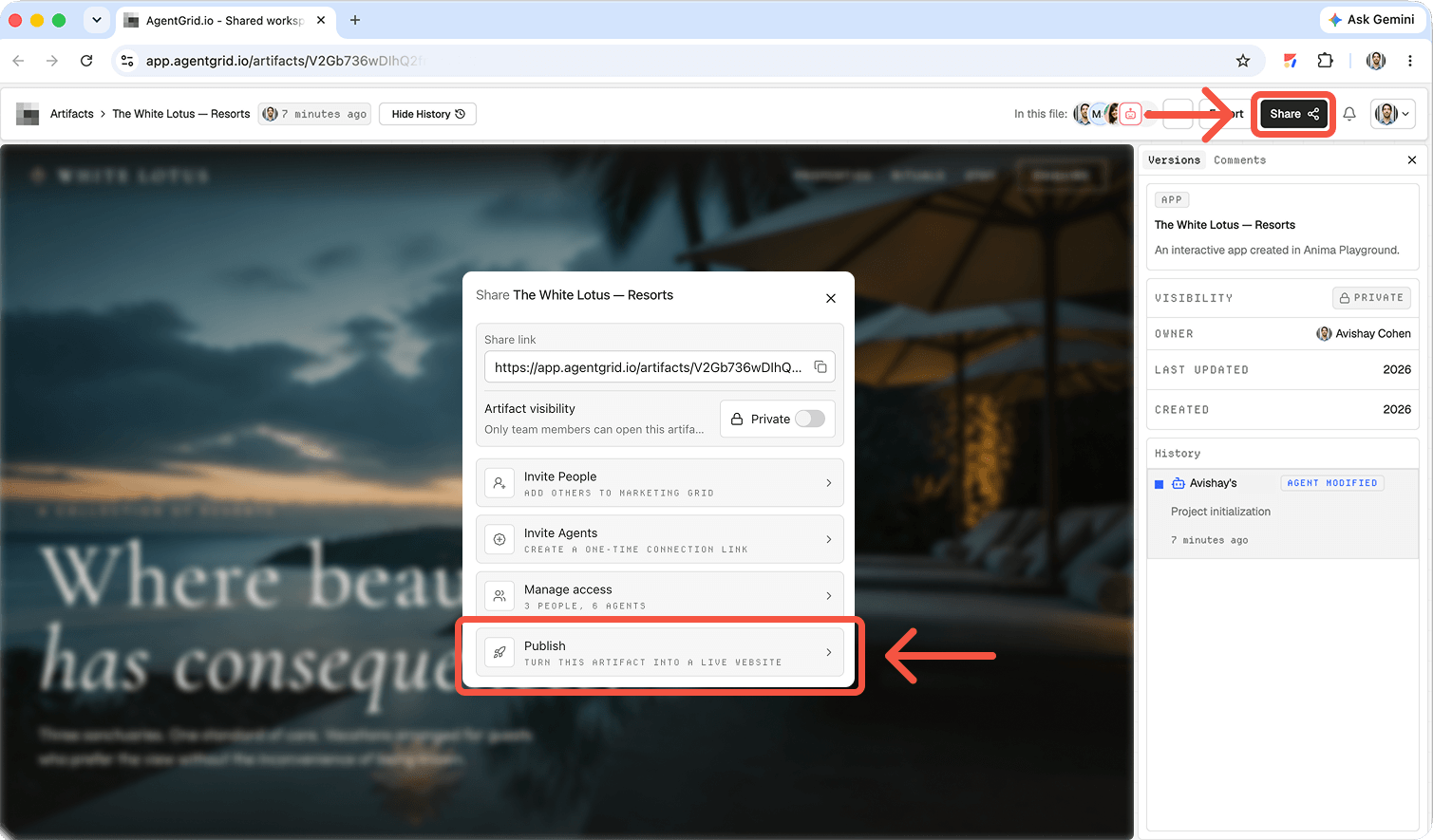
When the team signs off, use AgentGrid.io’s publish control to create the public site and open its URL to verify the result. Publication is different from sharing a workspace-scoped artifact link, and anyone can visit the public deployment without signing in. If you later ask Claude Code to revise the artifact, check the new draft before publishing an update; saved edits do not automatically replace the public version. If the live site must come down, Unpublish removes public access while preserving the artifact and its version history for further work.
1. Start in the right project directory
Open Claude Code in an existing repository, or create a new folder for a small website. Tell it what framework, content sources, and constraints apply. Keep secrets out of prompts, source files, and screenshots.
In this repository, build a responsive website for North Pier Repair, a bicycle workshop. Pages: Home, Services, and Book. Use the existing design tokens and logo. Do not invent prices or customer quotes. Make the booking button point to the approved scheduling URL in README.md. Add accessible navigation, meaningful alt text, a distinct title and meta description per page, and a clear empty or error state for any form. Before changing files, outline the implementation and the commands you will run. Do not deploy.
Review Claude Code’s proposed plan, especially changes to dependencies and build configuration. Ask it to leave a README with setup, preview, build, and deployment instructions. A future teammate should be able to run the project without recovering details from your chat history.
2. Run the site and test the built output
Have Claude Code install dependencies using the project’s package manager and run its test and build commands. Start the development server and open the preview yourself. A passing compile does not tell you whether the text is correct or the mobile menu is usable.
Run the existing lint, test, and production build commands. Report failures with the command and relevant error, fix only issues caused by this website work, then show me the local preview instructions. Check the Services page at narrow and wide widths. Do not change deployment settings or publish anything.
Pay attention to relative image paths, environment-dependent content, form actions, and routes that work in development but fail after a static build. If you are collecting personal data, involve whoever owns privacy and security review before deploying.
What kind of site are you publishing?
A static portfolio or campaign page can often be built into files and hosted by a static site service. A site with server routes, a database, authentication, or a payment workflow needs an environment that runs those services and protects their credentials. Ask Claude Code to explain which parts execute in the browser and which require a server. The build output directory alone will not tell you whether a booking form actually stores submissions.
Before picking a host, have Claude Code list the project’s build command, output path, runtime requirements, and external services. Compare that list with the host you already use. If the site needs to stay on a company domain, plan DNS and certificate ownership with whoever controls that domain. If the goal is only a single interactive explanation page, a Claude Code artifact may be enough; it is not a replacement for a multi-route production application.
3. Deploy through your normal hosting path
The straightforward route is to commit the reviewed code to a repository connected to a hosting service, then deploy according to that service’s instructions. Ask Claude Code to identify the correct build command, output directory, required environment variables, and whether the site needs server-side behavior. Do not give it blanket access to production credentials. Use a preview or staging deployment for signoff, then promote the approved revision using your host’s controls.
Claude Code artifact: On supported accounts signed in to claude.ai, Claude Code can make a self-contained HTML or Markdown page available as an artifact. Ask it to create the artifact, inspect the private URL, and choose the appropriate audience in Share. This is a single interactive page without a backend or multiple routes, not a substitute for a full hosted project. Anthropic documents private, organization, and public sharing options, subject to applicable organization controls. Verify the actual link with the intended viewer rather than assuming their access. If artifacts are unavailable, check your account, authentication, and organization policy.
Claude Code artifact versus a hosted website
Anthropic describes Claude Code artifacts as self-contained interactive pages on claude.ai. You can create one from session output, review its private URL, and choose a sharing audience. It is useful for a clickable prototype, change walkthrough, or single-page demo. Anthropic says an artifact has no backend and cannot serve multiple routes. A marketing site with distinct pages, production forms, or its own domain should go through an appropriate host instead.
If an artifact is the deliverable, check whether it is a simulation or a working application. Decide whether to share a fixed or latest version, and test recipient access.
4. Optional: hand the working site to AgentGrid.io
If the team wants a shared, versioned artifact rather than another ZIP in chat, AgentGrid.io documents a Claude Code connection through its CLI and human approval. Grant only the workspace and read/write capabilities needed for drafting; add publish capability only for a separately approved publishing task. Point Claude Code at the exact workspace or existing artifact URL and ask it to update that artifact, not generate a new copy. If connection is unavailable, import the project folder or ZIP manually instead.
Use AgentGrid.io only after I approve the connection. Put the current North Pier Repair website in the workspace I name as an unpublished app artifact. Return the artifact URL and verify its preview. Do not publish, invite other agents, or change the source repository. If access fails, stop and tell me what approval is missing.
Review the rendered artifact and its version history. If the project depends on backend services or secrets, check that the artifact environment supports them and never expose credentials in a public source bundle.
5. Publish and verify the public URL
For AgentGrid.io, a person with publish permission can publish the current app artifact and update the public deployment later; the publishing guide distinguishes a private artifact share link from a public URL. For a repository-hosted site, use the host’s release flow. In either case, inspect the live URL while logged out and on mobile, then test navigation, forms, metadata, and HTTPS. Link the deployed revision back to its repository or artifact so changes are traceable.
Is Claude Code itself a website host?
No. It can generate code, run checks, and help operate deployment tools you authorize. Hosting and public access belong to the deployment destination. A local preview is not public; a Code artifact needs its own sharing settings, while a hosted project needs its deployment settings.
Related: sharing agent-generated code, continuing a Claude Design site, and working with Claude artifacts.
Before you send the launch URL
Keep a release note with the version, build result, destination, and limitations. Open the public page without your editor session. Check its main action, mobile navigation, and whether development data leaked. Fix broken links or forms in the source project and redeploy through the approved route.
For AgentGrid, distinguish the workspace link from the public deployment URL. The publishing guide notes that later edits remain unpublished until the public deployment is updated. This is useful during review, but it also means the current workspace preview may differ from the visitor-facing version. Check both before announcing a change.
Frequently asked questions
Can Claude Code publish without a hosting account?
It can create a Claude artifact if your plan and session allow it, but a conventional site still needs a deployment destination and its access controls. Clarify whether the request is a single-page artifact, an AgentGrid publication, or a hosted repository project.
How do I share a local Claude Code preview?
Localhost is not public. Use a host preview or approved artifact and test recipient access before sharing.
Keep the code and launch decision connected
Build in Claude Code, review the working site, and publish one approved version. Try AgentGrid.io if your next handoff needs an inspectable website artifact that people and agents can continue together.