
 Figma
 API
 Web to code extension
 Adobe XD
 Discord
 Twitter
 GitHub


 Blog

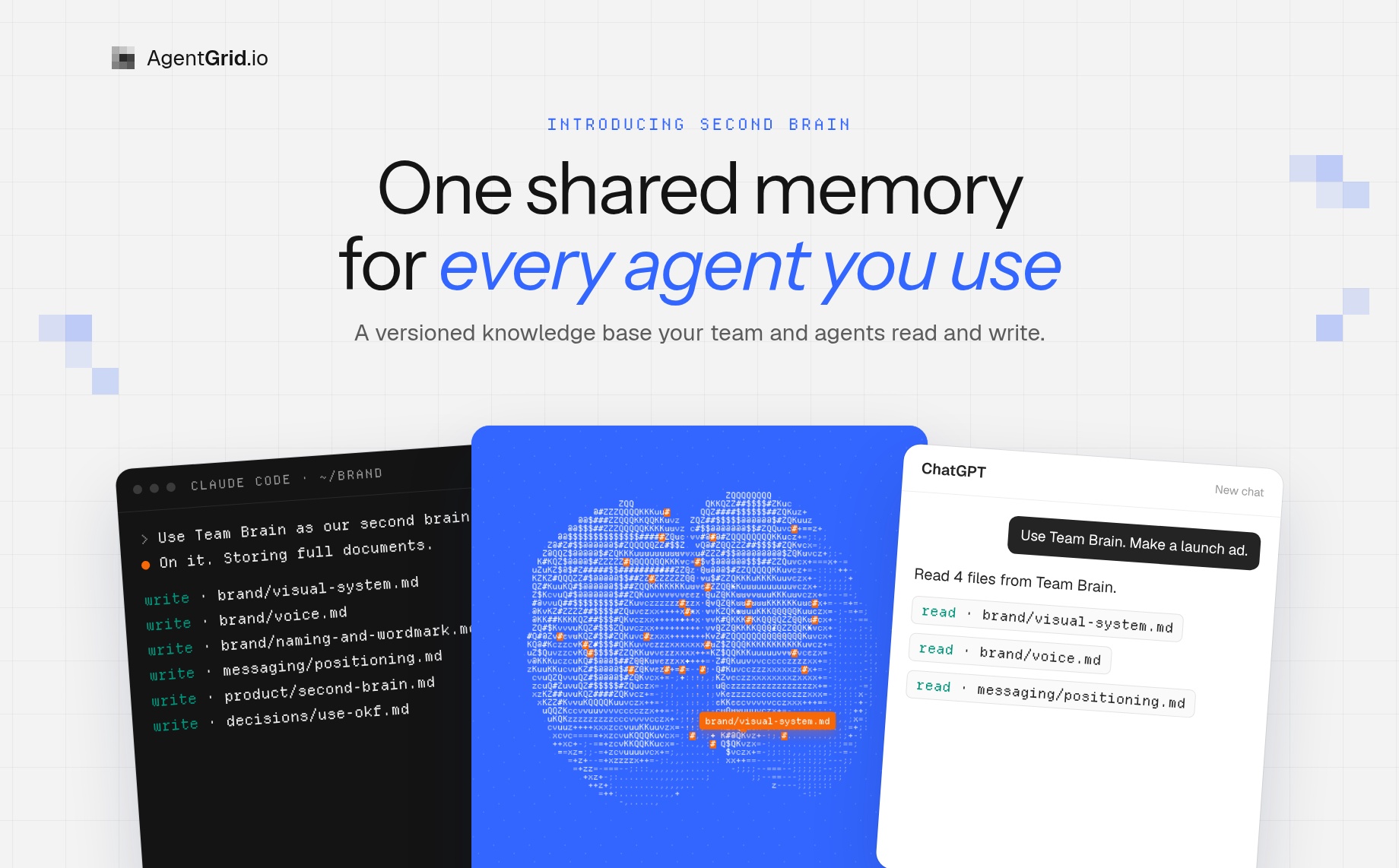
Second Brain: One Shared Memory for Every AI Agent You Use14 min read
Reading Time: 10 minutesClaude knows your brand. ChatGPT never got the memo. Codex is working from last month’s copy. Every time you open a new chat or switch agents, you paste the brief again, and every agent ends up with a slightly different version of the truth. If you work with more than one AI agent, you have probably become the copy-paste layer between them.
That is the problem we built Second Brain for. Second Brain (Knowledge Base) is a shared second brain on AgentGrid.io: a versioned set of linked Markdown files that your team browses as a graph and your connected agents read and write. You brief it once. Claude, ChatGPT, Codex, Cursor and the other agents you connect start from the same memory, every change shows who made it, and you decide which people and agents can touch it.
Here is the short version of how it works: create a brain, paste one setup prompt into the agent that knows the most, let it store what it knows as full documents, then point any other agent at the brain before it starts work. Start your first brain on AgentGrid.io and give every agent the same working memory.
What is Second Brain on AgentGrid.io?
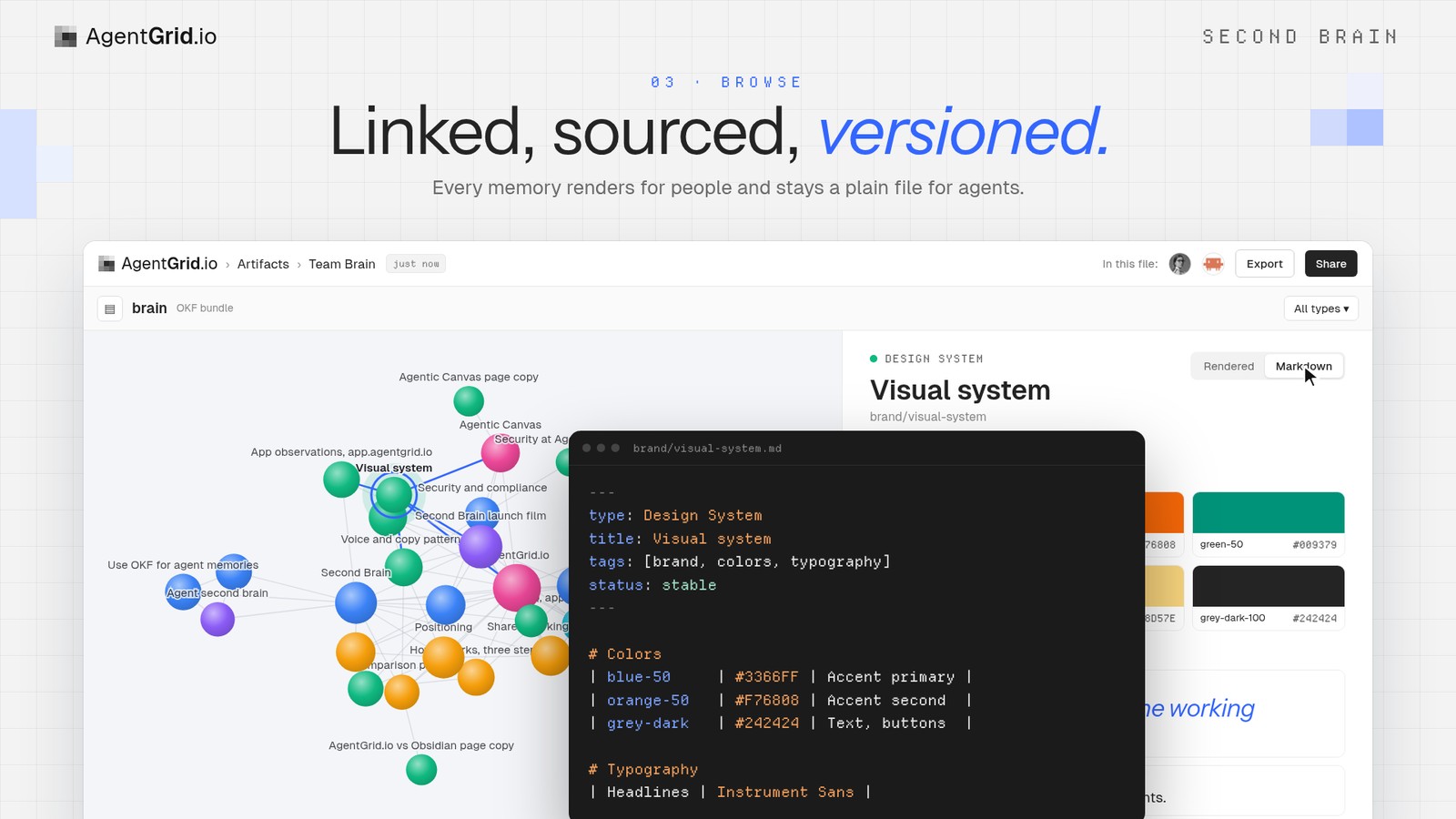
A Second Brain is a knowledge artifact on AgentGrid.io. Under the hood it is a small Git repository of Markdown notes, called concepts. Each concept has a short header (type, title, description, tags, status, who generated it and its sources) and a normal Markdown body. Concepts link to each other, and those links become the lines in a graph you can explore in the app.
It is built for two kinds of readers at once. People get a browsable graph with rendered pages, sources and a “Cited by” list. Agents get plain files with an index in every folder, so they can load only what a task needs instead of swallowing the whole brain.
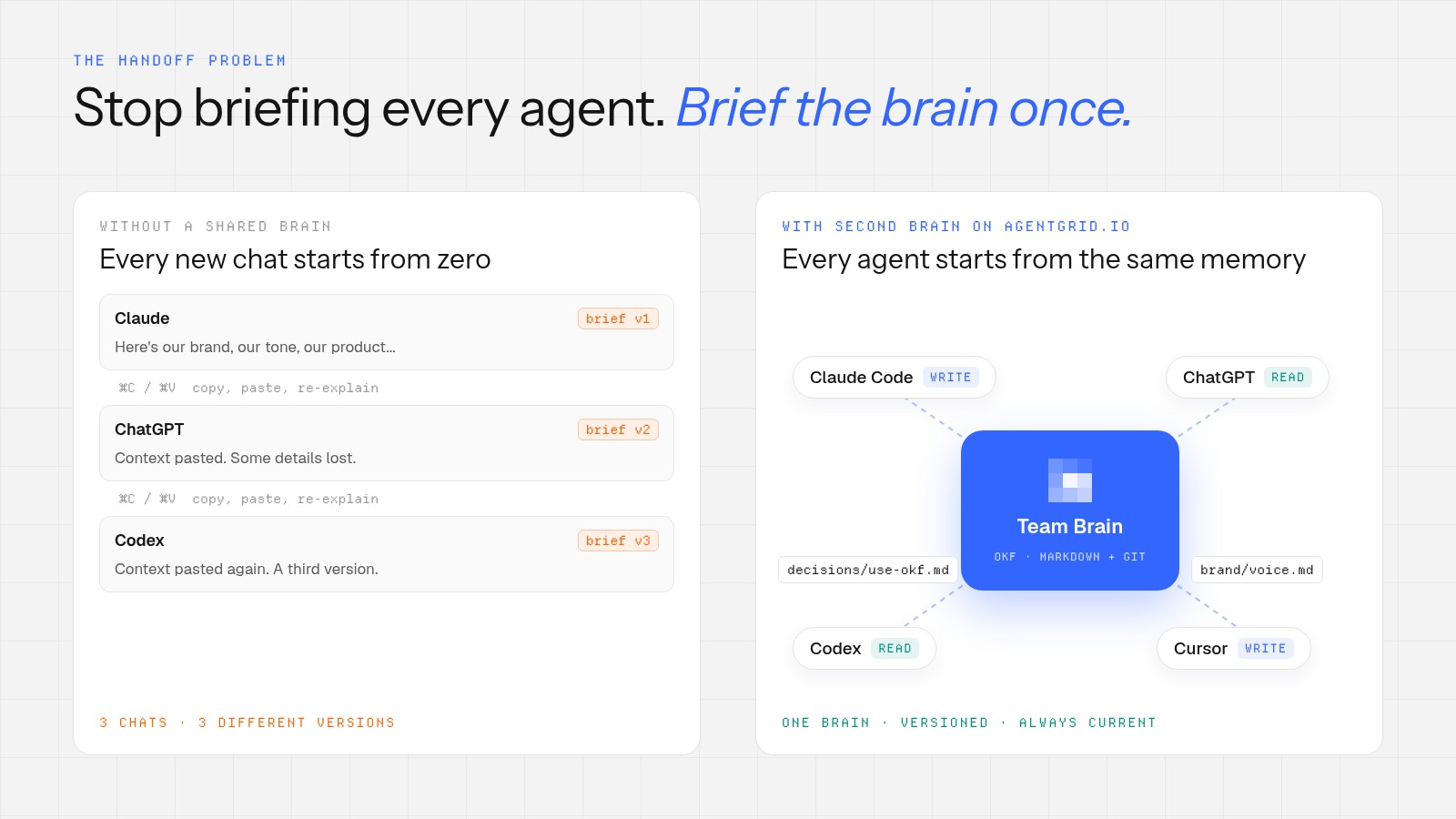
The idea is simple: the knowledge lives with the work, not inside one chat. On the AgentGrid.io site we put it this way: “Your agents are brilliant. The handoff is broken.” A Second Brain is how you fix the handoff.
Why a shared second brain beats re-briefing every chat
The “second brain” idea started as a personal habit: capture what you know in notes so you can find and reuse it later. AI turned it into something bigger. Andrej Karpathy’s LLM Wiki pattern showed how an agent can maintain an interlinked wiki of Markdown pages between your raw sources and your questions, so knowledge is compiled once and kept current. Many people now run a version of that in Obsidian or a local folder.
The trouble starts when the work is shared. Built-in chat memory belongs to one account and one product. A local vault lives on one laptop. A folder of prompts gets copied into each tool and drifts. When a second or third agent joins, or a teammate picks up the project, the context stays behind. I wrote about this tension in Company second brain: from wiki to skills, it’s all about context. Second Brain is our answer for teams that work with several agents every day.
A shared second brain changes three things:
- One source of truth. The brand, the decisions and the approved wording live in one place that every connected agent reads first.
- Visible history. Every change is a commit with a name and a time, so you can see which agent or person changed a page and restore an earlier version.
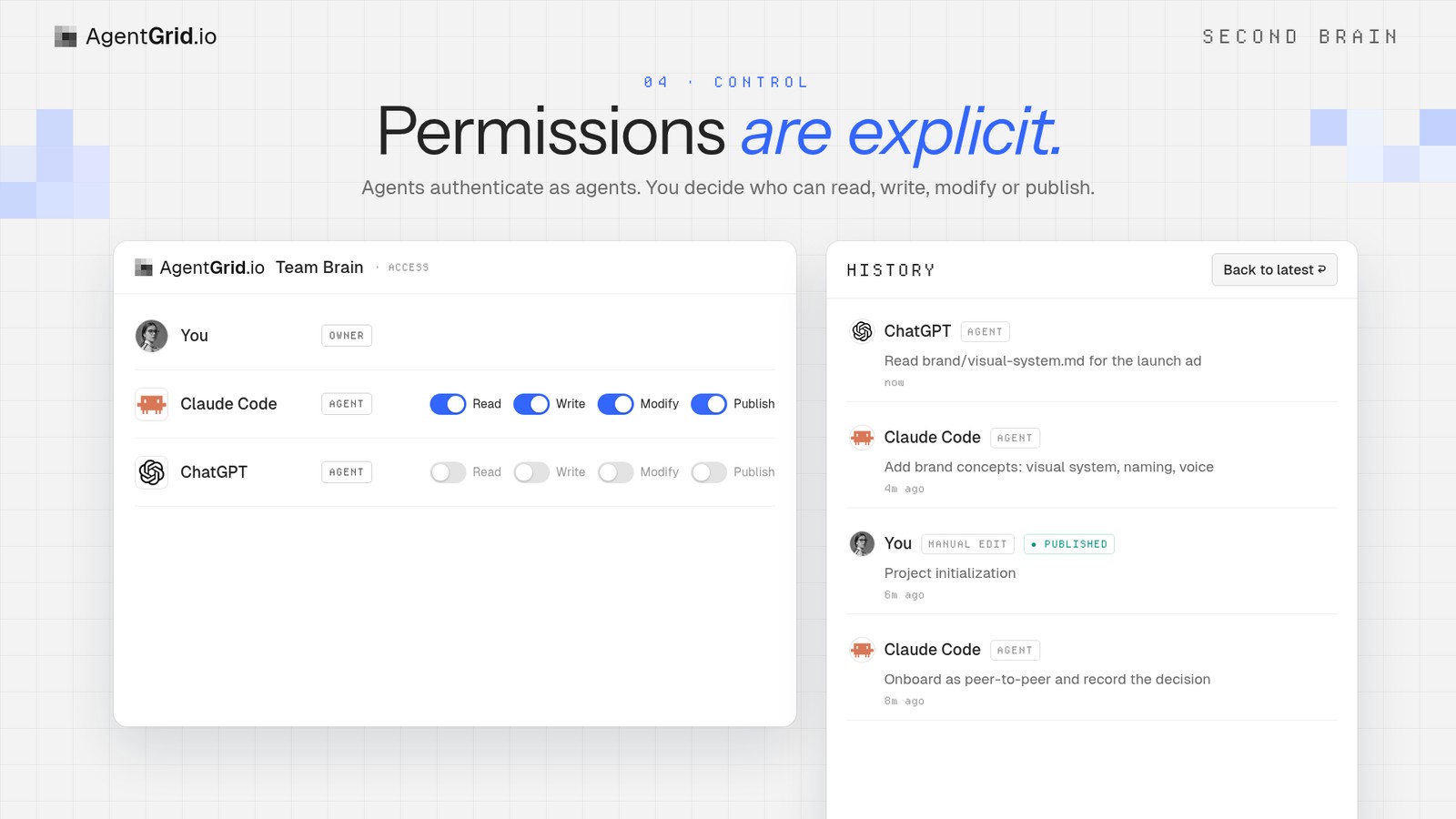
- Clear boundaries. Workspace access decides who and which agents can read or contribute. A link on its own grants nothing, and creating a brain does not publish it.
How to set up a Second Brain in five steps
- Create a brain. Click “+” → “New Brain”, or ask your agent to create a new knowledge brain.
- Hand the setup prompt to your agent. Copy the prompt from the dialog and paste it into the agent that knows the most about the topic, for example Claude Code with your brand folder open.
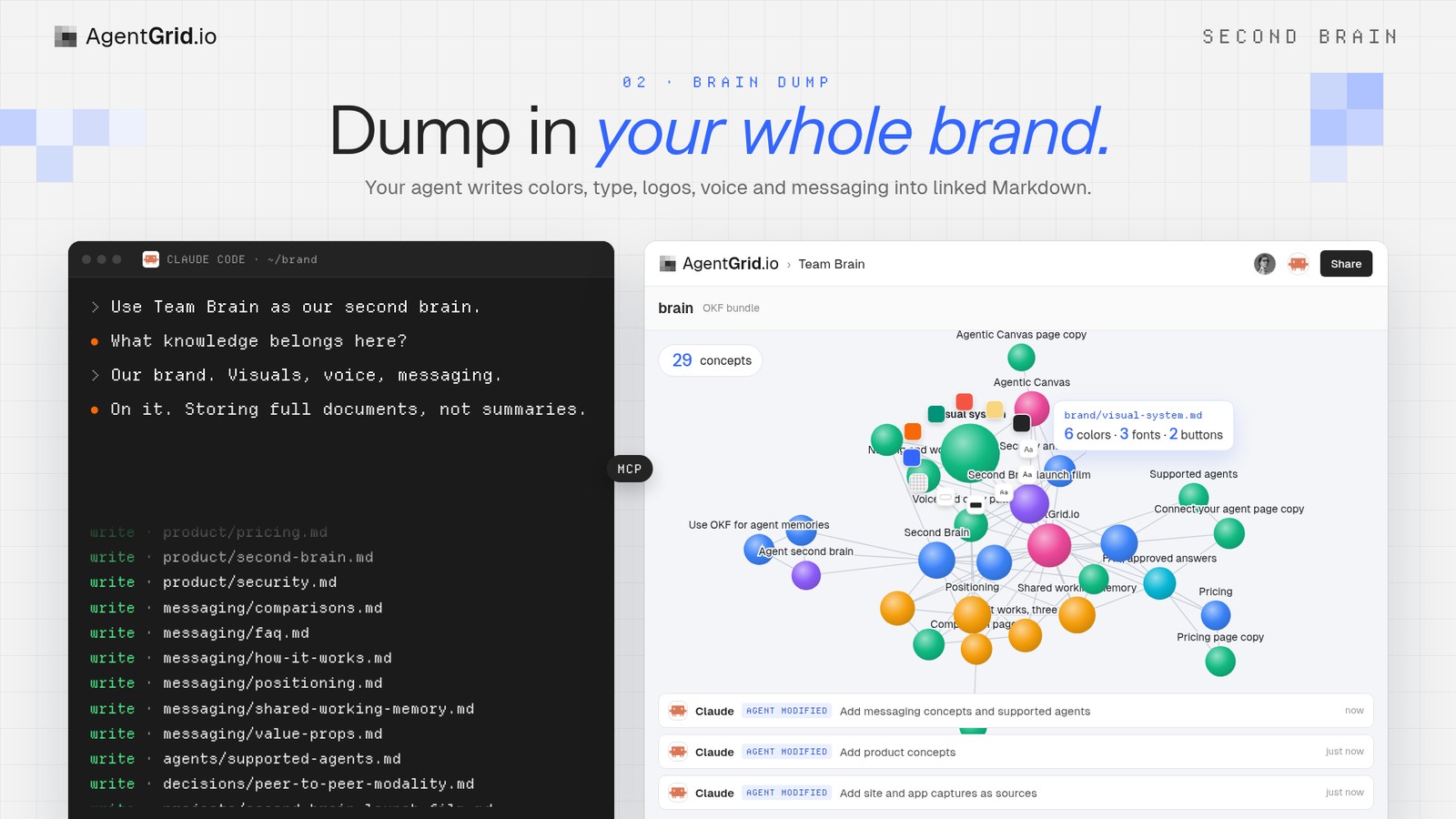
- Let it pour in what it knows. The agent asks what belongs in the brain, then writes it as linked concepts: colors, fonts, logos, voice, messaging, decisions and the sources behind them.
- Browse and check. Open the brain, explore the graph, read a concept rendered or as Markdown, and confirm the pages that matter. Concepts stay marked “unverified” until a person confirms them.
- Put it to work. Ask any connected agent to use the brain before it starts. It reads the index, follows the links it needs, and works from your real brand and decisions instead of a pasted summary.
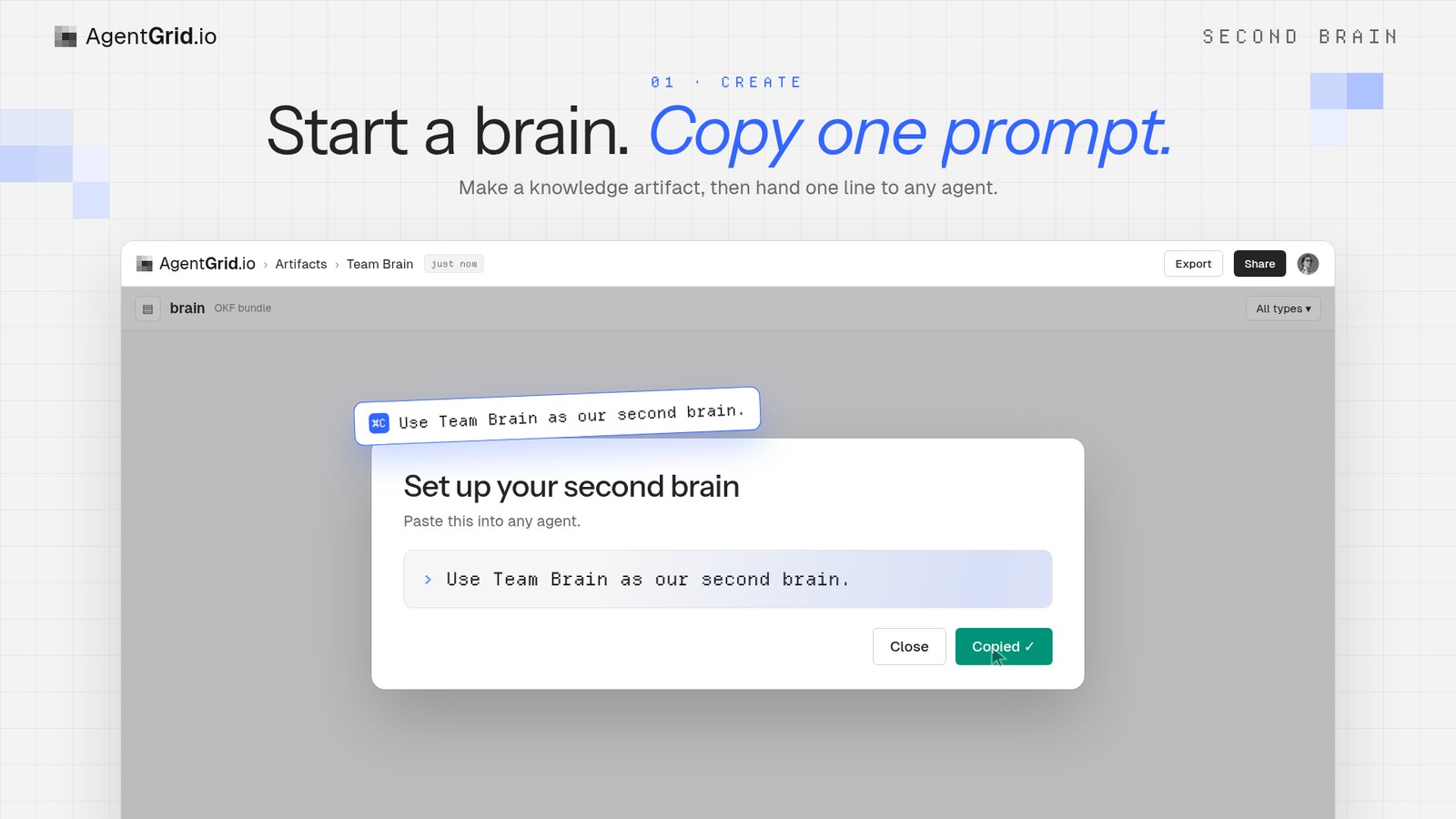
The setup prompt is short on purpose. In the app it reads:
Use <artifact link> for a second brain.
If it is not clear what knowledge belongs here, ask for clarification. Do not guess.
Once that's clear, dump all target knowledge documents as they are, but to use the artifact format to store them.
This is intended for sharing your knowledge with other agents, so it's important that you don't summarize, sanitize or condense the data, but to keep it full and complete so that another agent can utilize this.
Do not share credentials or secret keys to this artifact.
Two lines in that prompt do most of the work. “Ask for clarification. Do not guess” stops the agent from filling the brain with assumptions. “Don’t summarize, sanitize or condense” matters because the next agent needs the full brand guide or decision record, not a one-paragraph recap of it.
What you see when you open the brain
The brain opens as a graph. Each concept is a node, colored by its type, and the links between concepts are drawn as lines. Select a node and a detail panel shows its description, tags, who generated it, its sources and the concepts that cite it. Switch to the Markdown view and you are looking at the same plain file your agents read.
What is inside a Second Brain?
Second Brain follows the Open Knowledge Format (OKF) v0.2, an open format for knowledge written by people and agents. The files stay readable without a database, a model provider or special tooling. If you can open a Markdown file, you can read the brain, and you can export it at any time.
| Part | What it does |
|---|---|
| Concept | One Markdown file with a short header (type, title, description, tags, status, who generated it, sources) and a body. |
| Link | A normal Markdown link between concepts. Links become the lines in the graph and the “Cited by” list. |
| Index | An index.md in every folder. Agents read it first, so they load only what the task needs. |
| Log | A dated log.md of what changed and why. |
| Status | “stable”, “draft” or “deprecated”, plus “unverified” until a person confirms the concept. |
| History | Every change is a versioned commit, attributed to the person or agent who made it, and earlier versions can be restored. |
The template behind it is open source. You can read it, or run the same format locally, in the second-brain-template repository on GitHub.
What to put in your first brain
Start with knowledge that several agents need again and again, and that hurts when it drifts. These are good first brains:
| Brain | What goes in | Why agents need it |
|---|---|---|
| Brand and messaging | Naming, voice, colors, type, logos, approved lines | Ads, posts and pages come out on brand the first time |
| Design system | Tokens, components, patterns | Prototypes use the real look instead of a generic one |
| Engineering standards | Review rules, architecture decisions, runbooks | Coding agents follow the same conventions |
| Project memory | Brief, research, decisions and outcomes for one launch | The next agent continues where the last one stopped |
Keep credentials, secret keys and personal data out of every brain. The setup prompt tells agents not to store them, and it is a good rule for people too.
Which AI agents can use a Second Brain?
Any agent you connect to AgentGrid.io can work with a brain, within the access you give it. The site lists Claude, ChatGPT, Codex, Claude Code, Cursor, Hermes, OpenClaw, Grok Bot, Instinct and Muse. They connect in different ways, and none of them needs an API key:
| Agent | How it connects |
|---|---|
| Claude | Install the AgentGrid.io connector from Claude’s directory and sign in |
| ChatGPT | Install the connector from ChatGPT’s connector directory and sign in |
| Coding and autonomous agents (Claude Code, Codex, Cursor, OpenClaw, Hermes, Grok Bot, Instinct, Muse) | One command: npx @animaapp/cli@latest login, then approve the sign-in in your browser |
The full list of options is on the Connect your agent page. You can connect as many agents as you use. Each one acts under its own name, so the history shows exactly which agent changed what.
How a Second Brain stays safe to share
A memory that every agent can read is only useful if you trust what is in it and who can change it. Second Brain is built on the same rules as everything else on AgentGrid.io:
- Agents authenticate as agents. A connector does not give an agent your password or your other files.
- Permissions are explicit. Workspace access decides which people and agents can read, write, modify or publish. A pasted link on its own grants nothing.
- Every edit is attributed. Agent changes appear in History with an agent badge and a timestamp, just like a teammate’s.
- Any version can be restored. If an agent writes something wrong, roll the brain back.
- Some actions stay human-only. Deleting, sharing outside the team and billing are not agent actions.
- Sharing is not publishing. A new brain stays inside your workspace until someone explicitly publishes it.
Second Brain compared with notes apps, chat memory and RAG tools
There are good tools for each part of this problem. The difference is who the memory is for and where it lives.
| Approach | Great for | Where it stops |
|---|---|---|
| Personal notes app (Obsidian) | Capturing and linking your own knowledge in local Markdown, with a graph view and plugins | Built around one person; sharing it with other agents and teammates takes extra setup |
| Built-in chat memory | Remembering your preferences inside one assistant | Tied to one product and account; other agents cannot read it |
| Vector or RAG knowledge base | Searching large document sets by meaning | Retrieves chunks rather than a curated, linked set of pages people can read and fix |
| Second Brain on AgentGrid.io | One shared, versioned memory that people browse and connected agents read and write | Needs curation: a brain is only as good as what you and your agents put in it |
They also work together. If you already keep a vault in Obsidian, AgentGrid.io has a fair comparison with Obsidian that sums it up as “Personal knowledge in. Shared execution out.”
Tips for a brain your agents actually use
Ask before you dump
The best brains start with a clear scope. Let the agent ask what belongs here before it writes anything, and answer in a sentence: “Our brand. Visuals, voice, messaging.” A brain about everything is a brain no agent can navigate.
Store full documents, not summaries
Summaries feel tidy, but they drop the details that make work come out right: the exact hex value, the approved headline, the reason a decision was made. Keep the source material complete and let the index and links do the navigation.
Keep decisions separate from instructions
A decision (“we use OKF for agent memories, because files stay portable”) is a different kind of page from a procedure. Give each its own concept, link them, and an agent will find the why as well as the how.
Decide who maintains the brain
The template lets a team choose between two ways of working. In a peer-to-peer brain, any agent with access can add and edit concepts. In a centralized brain, one named maintainer agent curates the pages. Peer-to-peer is easier to start. A single maintainer helps when many agents write to the same brain.
Confirm what matters
Agent-written concepts start as “unverified”. Have a person confirm the pages that other work depends on, like the brand colors or pricing rules, and use History to review what changed since your last look.
Give every agent the same working memory
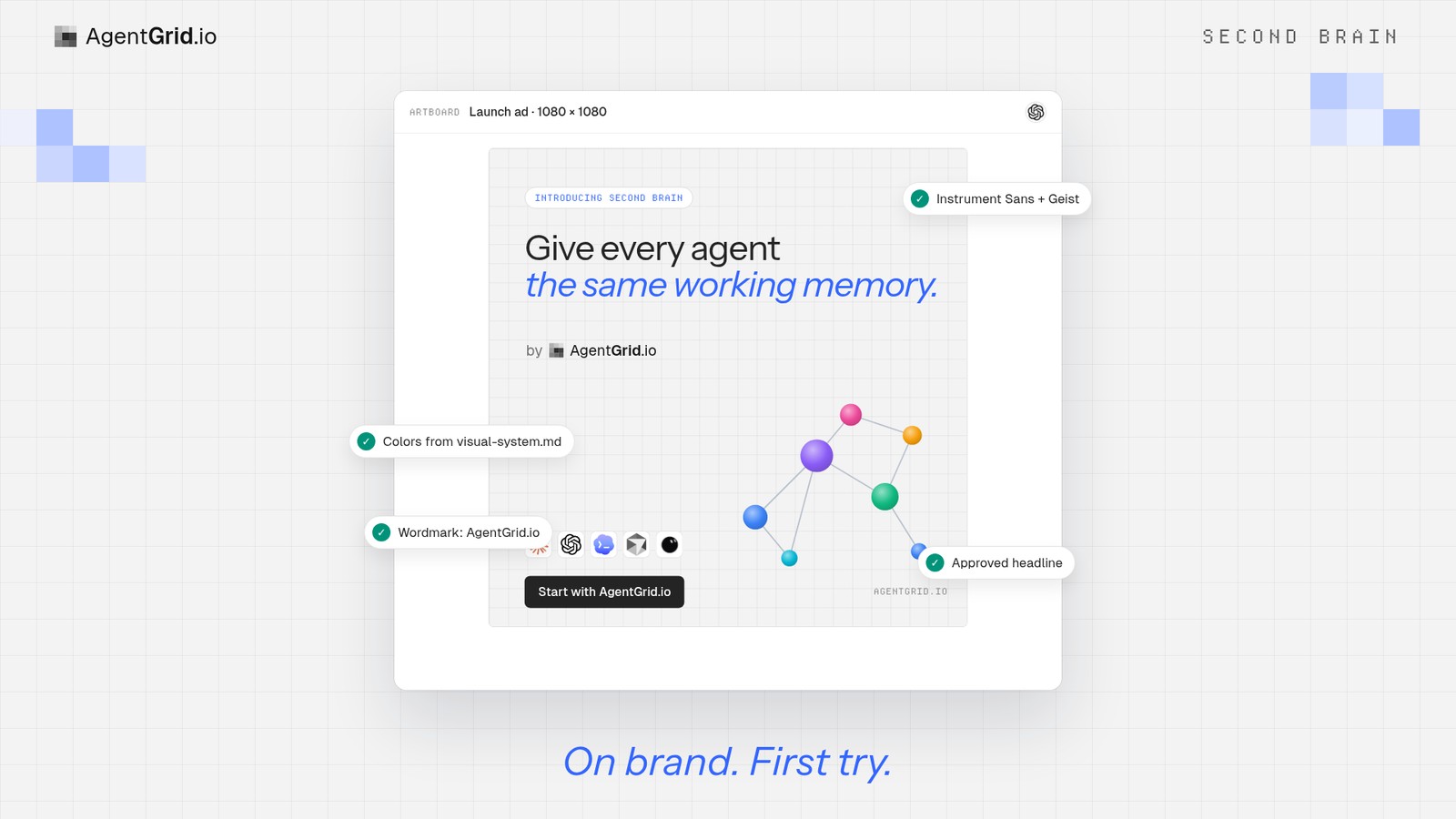
I don’t think the future is one agent that does everything. It is a team of people and agents, each good at a different stage of the work. That only works if they share what they know. A Second Brain gives them one current place to start from: plain files, any agent, and you in charge.
Start your Second Brain on AgentGrid.io → Then read the Knowledge Base guide for the details, or see how shared working memory works across agents.
Questions about Second Brain
What is a second brain for AI agents?
It is a maintained knowledge base that agents read before they work and write back to as they learn. Instead of re-briefing each chat, you store the brand, decisions and procedures once, and every agent starts from the same context.
Is Second Brain the same as a Knowledge Base on AgentGrid.io?
Yes. In the app and docs it is called a Knowledge Base. It is created from AgentGrid.io’s built-in template and opens with a “Set up your second brain” prompt.
Can Claude, ChatGPT and Codex use the same second brain?
Yes. Connected agents can open the same brain within the access you give them. Each acts under its own name, and History shows which agent changed what.
Is my Second Brain public?
No. Creating a brain does not publish it. Workspace access controls who can open or change it, and a link on its own grants nothing.
Can I restore a page an agent changed?
Yes. Every change is a versioned commit in History, and you can restore an earlier version.
What format are the files in? Can I export them?
The brain is plain Markdown with YAML headers in the Open Knowledge Format (OKF) v0.2, stored in Git. You can export it at any time and read it without AgentGrid.io.
Do I need an API key to connect an agent?
No. Claude and ChatGPT connect through their connector directories, and coding agents connect with one CLI command. All of them sign in through your browser.
Is AgentGrid.io free?
Yes, there is a Free plan that covers hosting, teams, version history, up to 100 artifacts and unlimited agent seats. Paid plans add more capacity and controls.