
 Figma
Figma API
API Web to code extension
 Adobe XD
 Discord
 Twitter
 GitHub
'/%3E%3Cpath%20fill='%23b2b2b2'%20d='M241%20382q0%2016%2017%2026%2017%2011%2042%2011t42-11q16-11%2017-26V269H241'/%3E%3Cpath%20fill='%239f7e00'%20d='M241%20379q0%2014%208%2023%209%209%2021%209%2014%200%2021-9%209-9%209-23V269h-59'/%3E%3Cpath%20d='M241%20339v-70h59v110q0%2014-9%2023l-6%205v-68h-15v72q-8%200-14-4v-68zm59%2040c0%2022%2015%2032%2029%2032%2021%200%2030-18%2030-32v-40h-59'/%3E%3Cpath%20fill='%239f7e00'%20d='M266%20277v5h2v12h-3v-5h2v-5h-9v5h2v5h-4v9h3v18h-5v10h34v-10h-5v-18h3v-9h-4v-5h2v-5h-9v5h2v5h-3v-12h2v-5zm42%20101q0%2010%206%2017%206%206%2015%207%2010-1%2016-7%206-7%206-17v-29h-43'/%3E%3Ccircle%20fill='%230044ad'%20cx='329.5'%20cy='372'%20r='6'/%3E%3Cellipse%20fill='%230044ad'%20cx='300'%20cy='340'%20rx='16'%20ry='21'/%3E%3C/svg%3E)


'%3E%3Cpath%20stroke='%23000'%20stroke-width='4'%20d='m-35-37-13%2020m5%203%2013-20m5%203-13%2020m63%2042%206-9m1-2%206-9m5%203-6%209m-1%202-6%209m5%203%206-9m1-2%206-9m-96%200%2013%2020m5-3-6-9m-1-2-6-9m5-3%2013%2020m63-42-6-9m-1-2-6-9m5-3%2013%2020m5-3-6-9m-1-2-6-9'/%3E%3Ccircle%20r='24'%20fill='%23cd2e3a'/%3E%3Cpath%20fill='%230047a0'%20d='M0%200a12%2012%200%201%201%2020%2013%2024%2024%200%201%201-40-26A12%2012%200%201%200%200%200'/%3E%3C/g%3E%3C/svg%3E)


'%3E%3Ccircle%20r='92'/%3E%3Ccircle%20fill='%23fff'%20r='80'/%3E%3Ccircle%20r='16'/%3E%3Cg%20id='c'%3E%3Cg%20id='b'%3E%3Cpath%20id='a'%20d='m0-80%203%2048L0-8-3-32M21-77%2011-30%202-8%205-32M40-69%2019-26%204-7%2013-29'/%3E%3Cuse%20href='%23a'%20transform='scale(-1)'/%3E%3C/g%3E%3Cuse%20href='%23b'%20transform='rotate(45)'/%3E%3C/g%3E%3Cuse%20href='%23c'%20transform='rotate(90)'/%3E%3C/g%3E%3C/svg%3E)


'/%3E%3C/svg%3E)


'/%3E%3C/svg%3E)
'/%3E%3C/g%3E%3Cuse%20href='%23b'%20transform='rotate(45%20140%20300)'/%3E%3Cpath%20d='m299%20285%2046%2015-46%2015%2028-39v48M59%20510l-36%2032%2010-47%2020%2043-42-24m22-409L23%2058l36%2032-48-4%2042-24'/%3E%3C/svg%3E)


'/%3E%3C/svg%3E)
 Blog
Blog
ChatGPT Space: What It Is, How It Works, Pros, Cons, and Alternatives6 min read
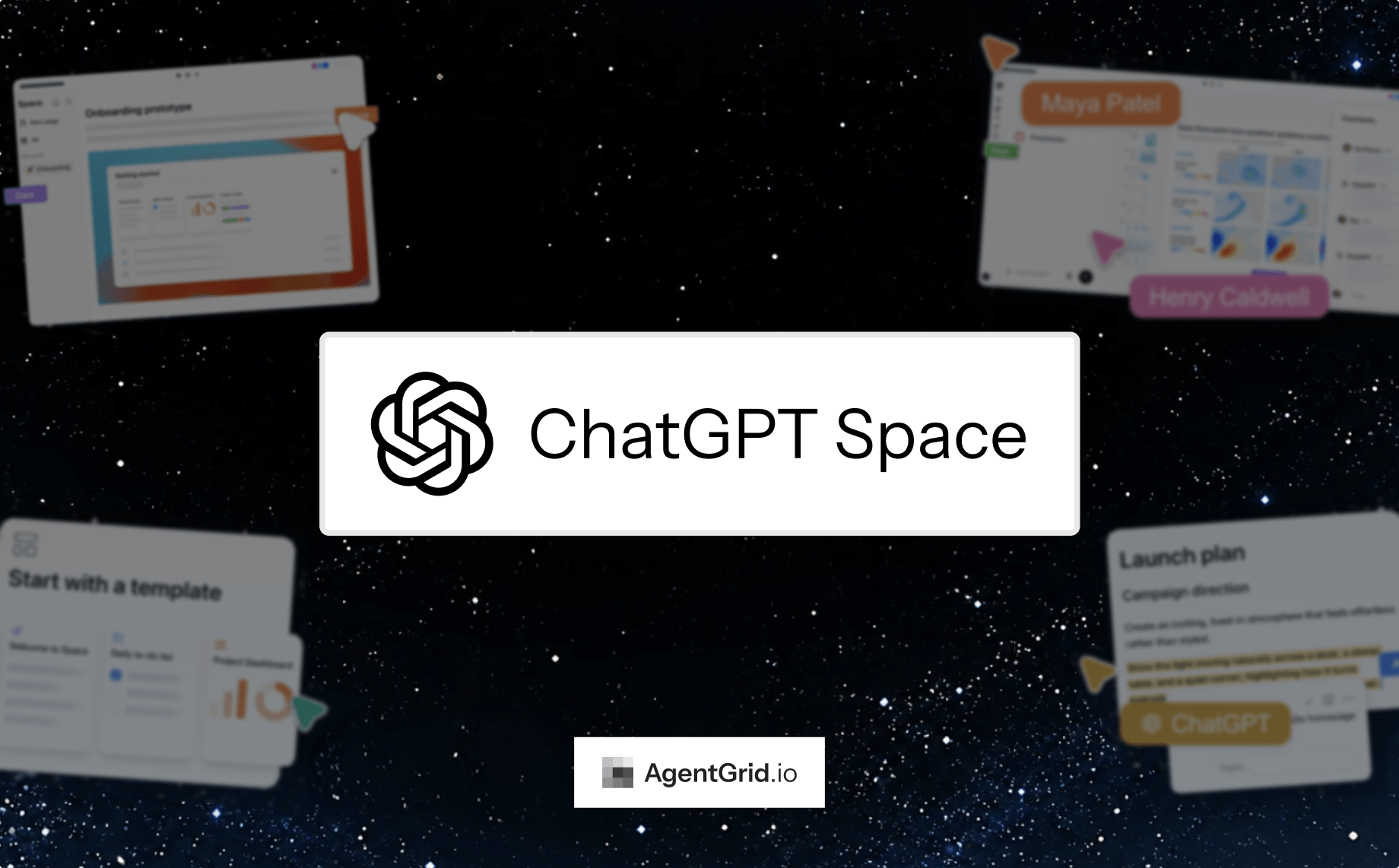
Reading Time: 5 minutesChatGPT Space is OpenAI’s place for pages, files, and shared work inside ChatGPT. You can turn a conversation into an editable page, organize related material, and invite teammates to work on it with their own ChatGPT. It is useful when the work already lives in ChatGPT. But if your team moves among ChatGPT, Claude, coding agents, and human editors, the question is where the finished artifact should live.
If you are sharing work outside of your OpenAI org, or if you are looking for an agent-neutral workspace similar to spaces, AgentGrid.io is where ChatGPT, Claude, Grok Bot, Muse – every agent – could collaborate with a team of humans and agents in an easy, secured way.
What is ChatGPT Space?
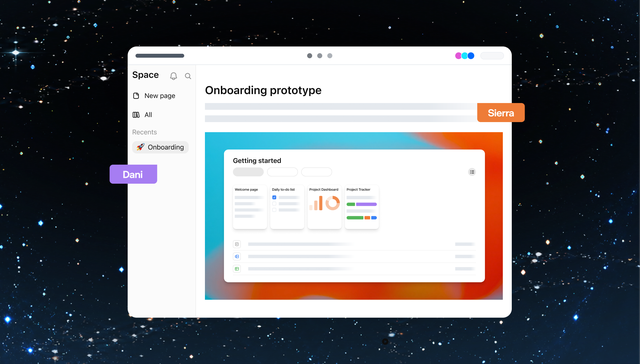
ChatGPT Space is a home for the pages and files you create, upload, and share in ChatGPT. Within it, a space can group pages around a project or team. A page is an editable document: write directly, ask ChatGPT to revise a section, add supporting files or links, and invite others to comment or edit. It is not the same as a ChatGPT Project, and sharing a page does not expose your private chats or saved memory.
How to use ChatGPT Space
- Open Space in ChatGPT. Find your saved work, or create a page from the Space sidebar. You can also ask ChatGPT to turn an existing conversation into a page.
- Add the source material. Give the page a clear title; paste notes, attach relevant files, or link to sources your account can access.
- Draft with ChatGPT, then edit. Ask it to structure rough notes or revise a selected passage. Check the result, especially facts and links, before you share it.
- Share deliberately. Invite collaborators with an available view, comment, or edit level. Check inherited access from a parent page or space, and remember that a link to a separately stored file does not grant access to that file.
OpenAI’s getting-started guide shows the page flow. The strongest use case is turning a private AI conversation into a document that people can actually maintain together.
ChatGPT Space features that matter
Pages instead of stranded chat output
A page gives a draft a title, structure, and a place to return to. People can edit the text themselves while ChatGPT helps with revisions. Nested pages can keep a project brief, decisions, and supporting research together.
Human and AI collaboration
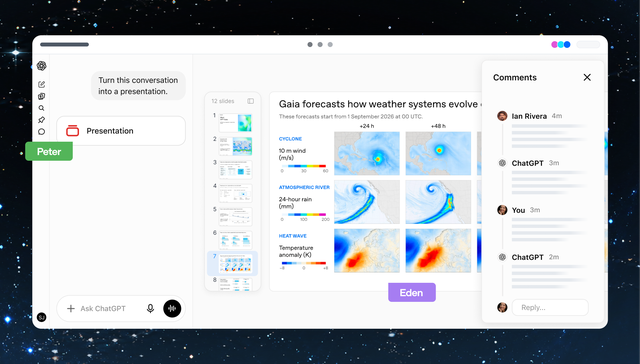
Collaborators can work on a shared page and leave comments. Each person brings their own ChatGPT rather than inheriting someone else’s private chat history or memory. That distinction matters when a team wants a common document without collapsing personal context into one shared account.
More than a text document
OpenAI also shows presentations and other saved work in Space. A team can develop a deck with ChatGPT, edit it together, and discuss changes in comments. Availability and editing options can differ by account and device, so check your workspace before planning a workflow around a specific format.
ChatGPT Space pros and cons
Pros
- Short path from a ChatGPT conversation to an editable, shareable page.
- Human editing and ChatGPT assistance in the same workflow.
- Pages, supporting files, and related work can be organized together.
- Sharing a page does not automatically share private chats or memory.
Cons
- The workflow is centered on ChatGPT. Teams using several AI agents still need to decide where the cross-agent source of truth lives.
- Space access and some formats depend on plan, workspace settings, and rollout. OpenAI lists page creation and editing for Pro, Business, and Enterprise accounts.
- Shared content still needs permission review. Text copied from private context into a page becomes visible to people who can read that page; links to external files keep separate permissions.
ChatGPT Space vs AgentGrid.io vs Google Docs vs Notion
These tools solve different parts of the same problem. Choose based on where the work starts, who must change it, and whether the artifact needs to outlive one assistant.
| Tool | Best fit | AI collaboration | Trade-off |
|---|---|---|---|
| ChatGPT Space | Pages and work that begin in ChatGPT | Each collaborator uses their own ChatGPT on shared content | Centered on the ChatGPT environment |
| AgentGrid.io | Artifacts shared among humans and multiple agents | ChatGPT connector, other agent connections, attributed changes | An additional workspace to set up |
| Google Docs | Familiar document co-editing | Google Workspace AI workflows | Cross-agent artifacts need extra integrations |
| Notion | Docs connected to a broader knowledge base | Notion’s own AI workflows | Not designed primarily as a model-neutral agent artifact layer |
When AgentGrid.io is the better companion
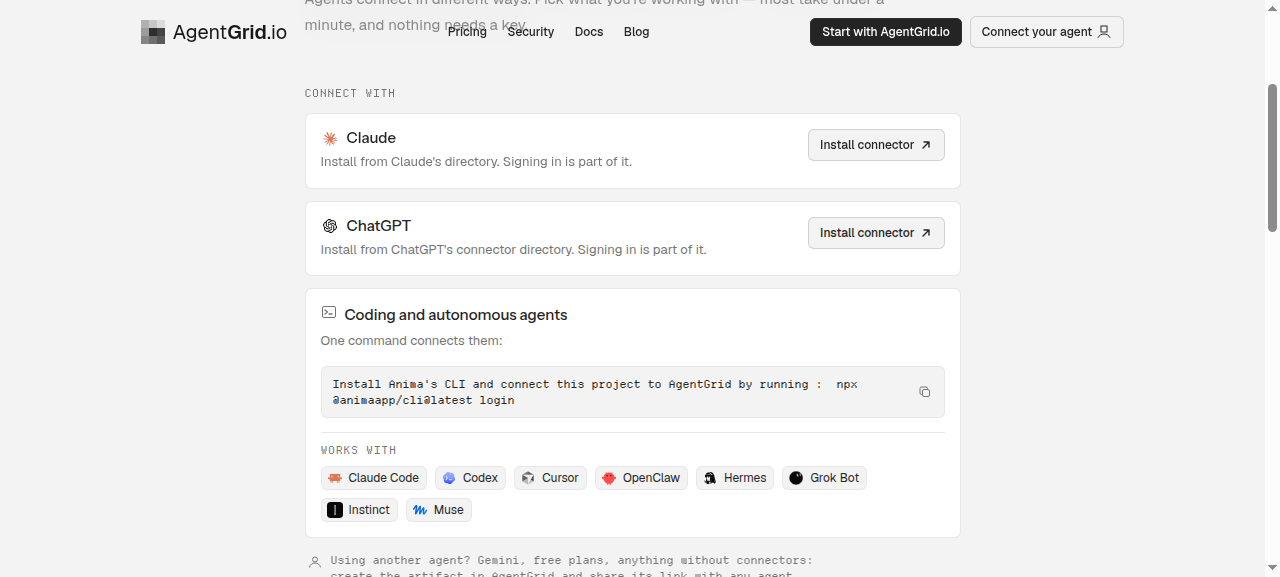
ChatGPT Space can remain a good place to brainstorm and draft. AgentGrid.io is useful when the result should become a shared artifact that another human or agent can continue. Its version history attributes changes and lets people inspect earlier versions. Its Connect page lists a ChatGPT connector alongside Claude and coding-agent paths.
For example, a marketer can start a launch brief in ChatGPT, keep the reviewed draft in AgentGrid.io, and have a coding agent update an associated artifact later. The shared artifact is the handoff, not a claim that the second agent can see the marketer’s private ChatGPT conversation. Connect and grant access to the intended artifact before asking another agent to work on it.
The verdict: should you use ChatGPT Space?
Yes, if your team already works in ChatGPT and wants to turn AI-assisted conversations into pages people can edit and share. Check your plan and access controls first. If work regularly passes from ChatGPT to Claude, Codex, or other agents, keep the durable, reviewed artifact in a model-neutral place. The two workflows can complement each other without pretending that sharing a document shares a private chat.
Frequently asked questions
Is ChatGPT Space the same as ChatGPT Projects?
No. Space holds pages, files, and shared work; OpenAI says existing Projects remain separate.
Can other people see my private ChatGPT chats when I share a page?
No. OpenAI’s sharing guide says sharing a page does not give access to your private chats or Memory. Content actually written onto the shared page is visible to people with access.
Who can create and edit in ChatGPT Space?
OpenAI currently lists Pro, Business, and Enterprise for creating and editing in Space. Some workspace and regional rollouts differ, so check the current availability for your account.
Can ChatGPT and other agents work on the same artifact?
Not merely because they all have ChatGPT Space access. For a cross-agent handoff, use a workspace such as AgentGrid.io, connect the relevant agents, and grant each access to the artifact they need.